The Outlink Chrome Extension allows you to quickly import products from supported websites into your store without manually copying product information.
With just a few clicks, the extension can capture product details such as the title, description, images, pricing, and more, helping you save time when adding products.
Note
The Outlink Chrome Extension is free to install. Product imports require Pro plan or above.
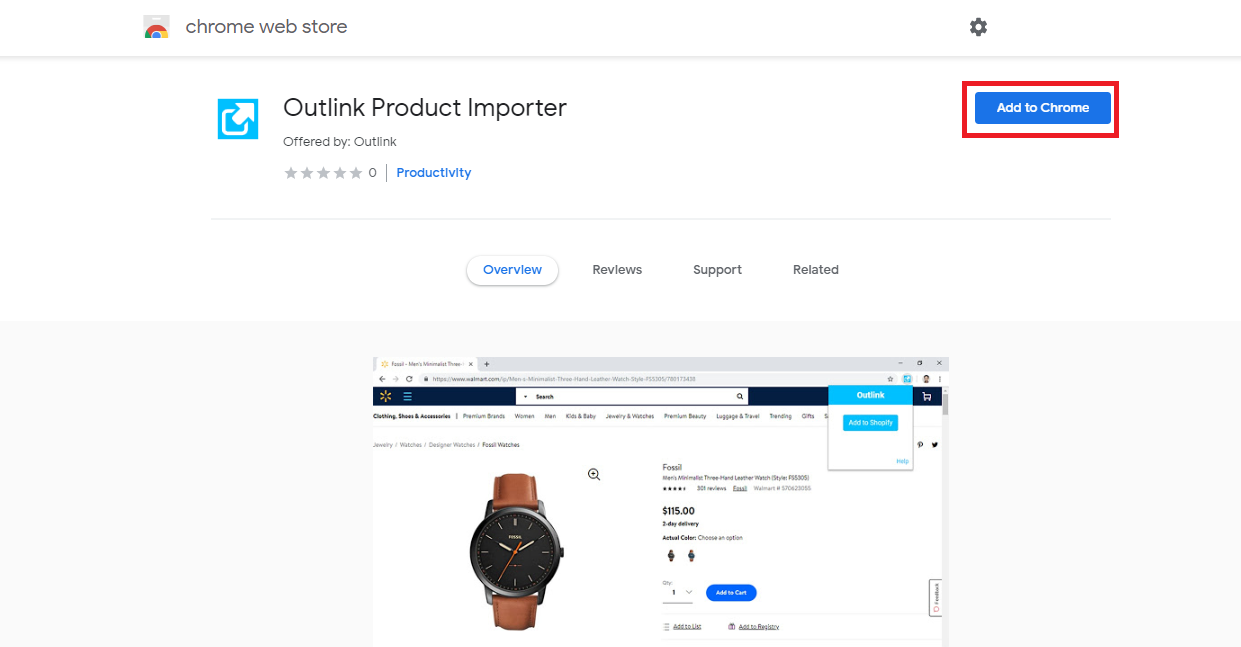
Step 1: Install the Chrome Extension
Download and install the Outlink Chrome Extension in your Chrome browser. Once installed, you'll find the Outlink icon in the browser toolbar.
Step 2: Visit a Product Page
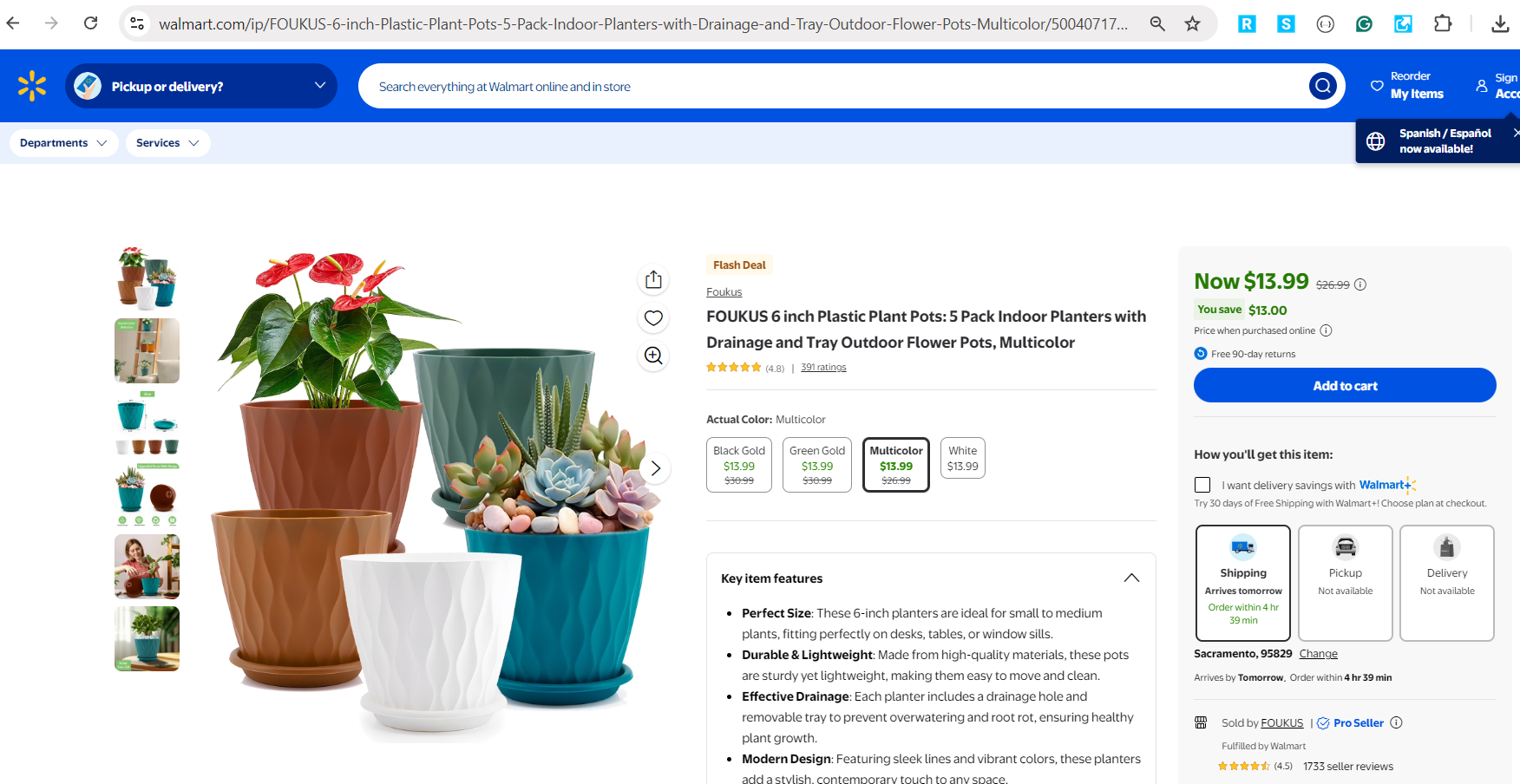
Open the product page you want to import from any supported website.
Step 3: Launch the Extension
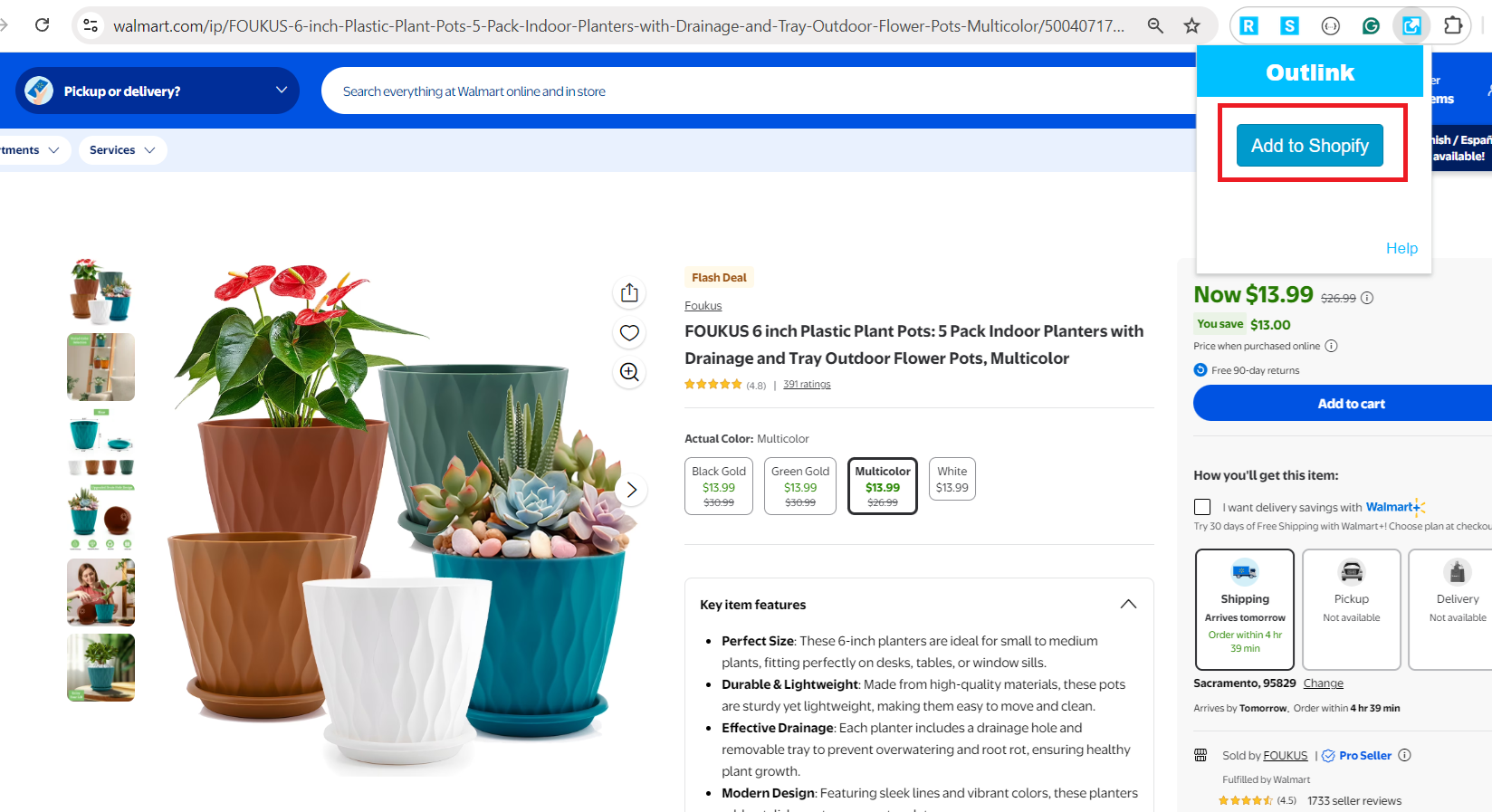
Click the Outlink Chrome Extension icon in the top-right corner of your browser.
Then click Add to Shopify.
Step 4: Review the Imported Product Details
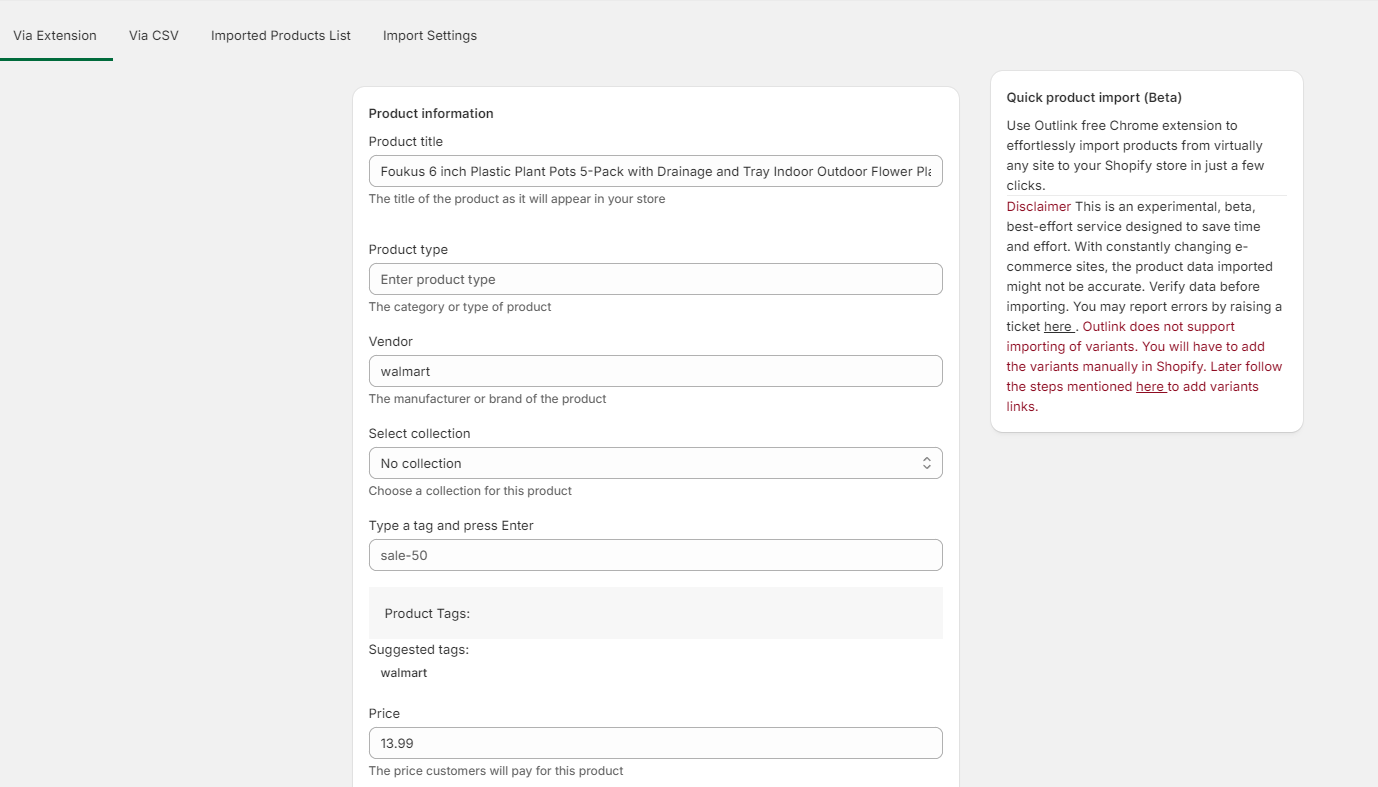
The extension will automatically extract the available product information, including:
- Product title
- Product description
- Product images
- Pricing (where available)
- Other supported product details
The extracted information will be displayed in a review form.
Step 5: Verify and Import
Review the imported product information and make any necessary changes.
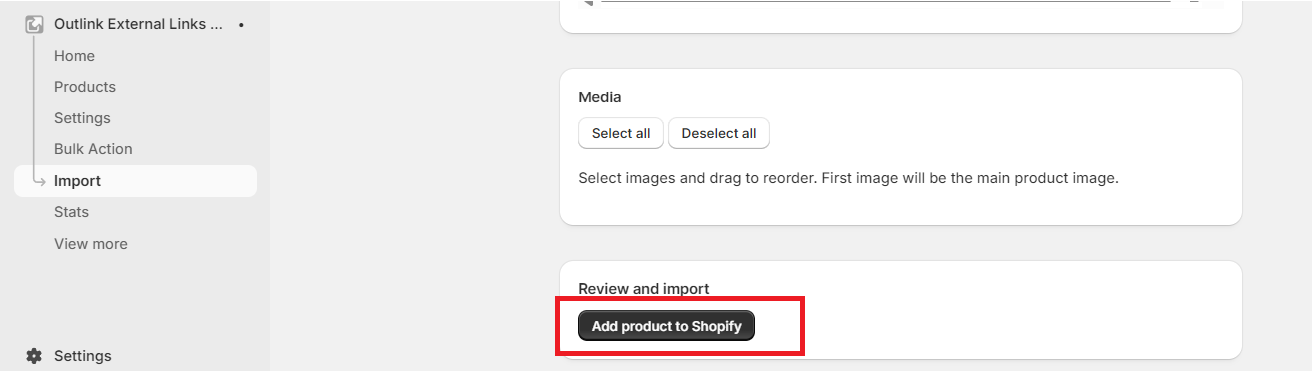
When you're satisfied, click Add Product to Shopify to import the product into your store.
Important Information
The Chrome Extension is provided as a beta feature and is designed to simplify product imports.
Because online stores frequently update their layouts and product pages, some imported information may occasionally be incomplete or inaccurate.
We recommend reviewing all imported product information before adding it to your store.
If you encounter any issues or notice incorrect data, please contact our support team so we can investigate and improve compatibility.
Notes
- The Outlink Chrome Extension is free to install and use.
- Product importing through the Chrome Extension is available on Pro and higher plans.
- Always review imported product information before publishing products to your store.