The Sticky External Link Button keeps your Outlink button visible while customers scroll through a product page, making it easier for them to access your external link at any time.
This guide explains how to enable and add the Outlink Sticky Button to your store.
Note
The Sticky External Link Button is available on Pro and higher plans.
Step 1: Enable the Sticky Button
- Open the Outlink app from your admin dashboard.
- Navigate to Settings → Advance.
- Enable the Sticky Button toggle.
- Click Save (if required).

Step 2: Open the Theme Editor
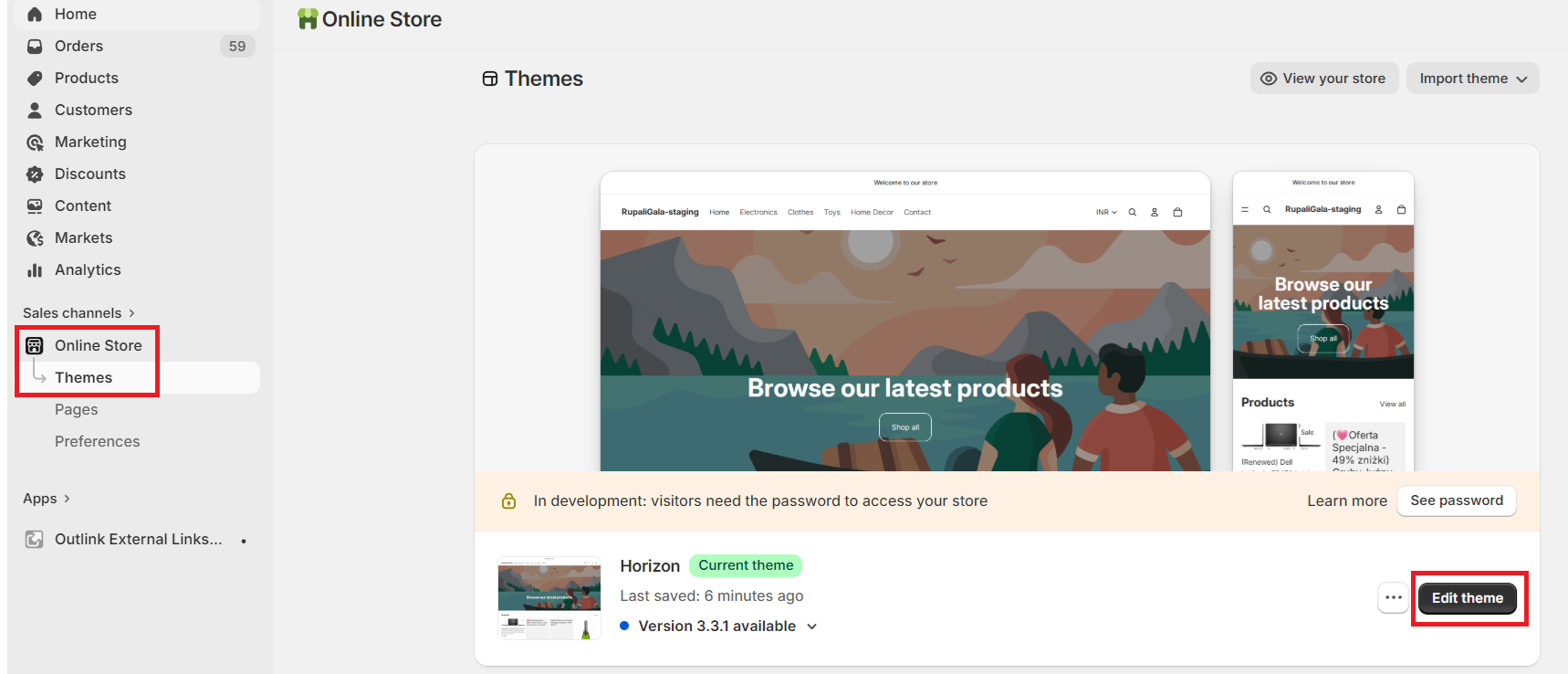
- Go to Online Store → Themes.
- Click Edit Theme on your active theme.
Step 3: Select a Product Template
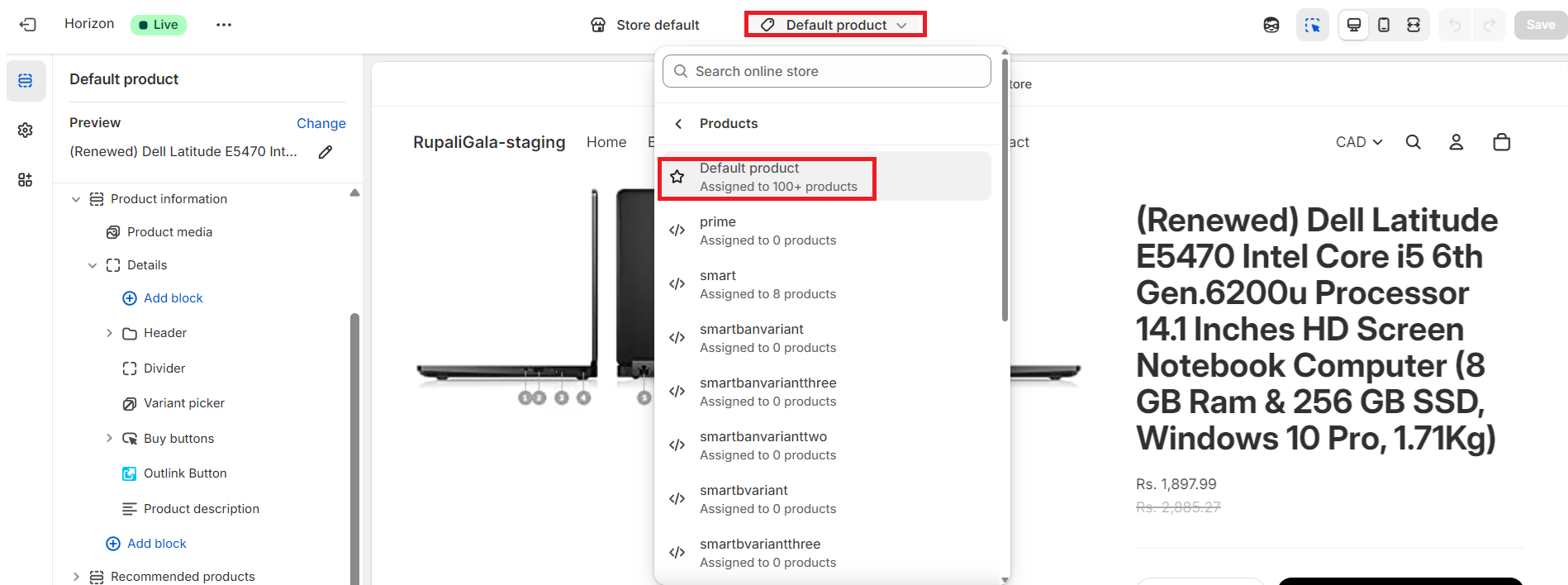
From the template selector at the top of the Theme Editor, choose the Product template where you want the sticky button to appear.
Step 4: Add the Outlink Sticky Button Block
- In the left sidebar, click Add block.
- Under the Apps section, select Outlink Sticky Button.
The block will be added to your product template.

Step 5: Customize the Sticky Button (Optional)
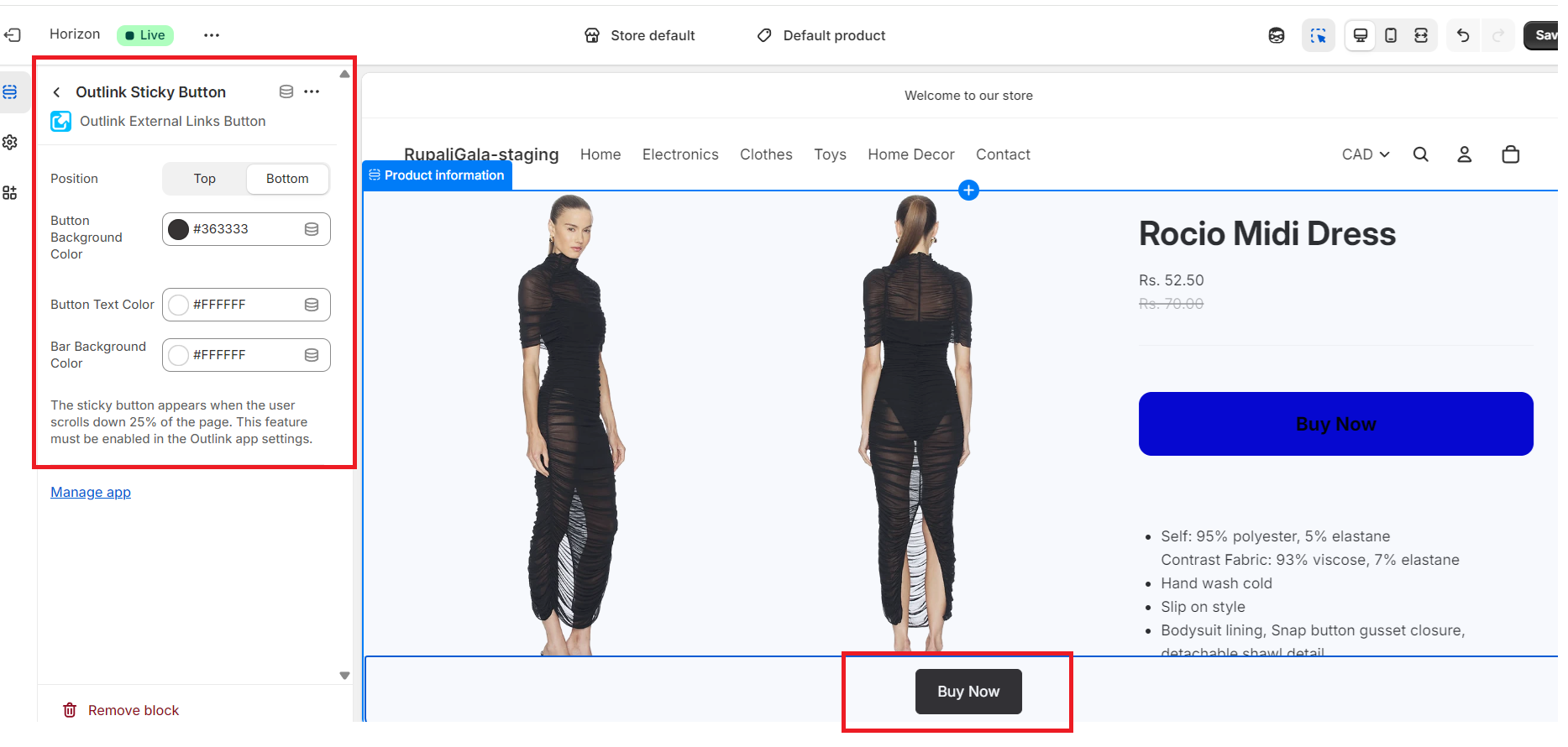
You can customize the appearance and position of the sticky button to match your store's branding.
Position Options
Choose where the sticky button should appear:
- Top of the page
- Bottom of the page
Style Options
Customize the following settings:
- Button background color
- Button text color
- Bar background color
For advanced styling, you can also apply your own custom CSS.
Step 6: Save Your Changes
Click Save in the Theme Editor to publish your changes.
How the Sticky Button Works
Once enabled:
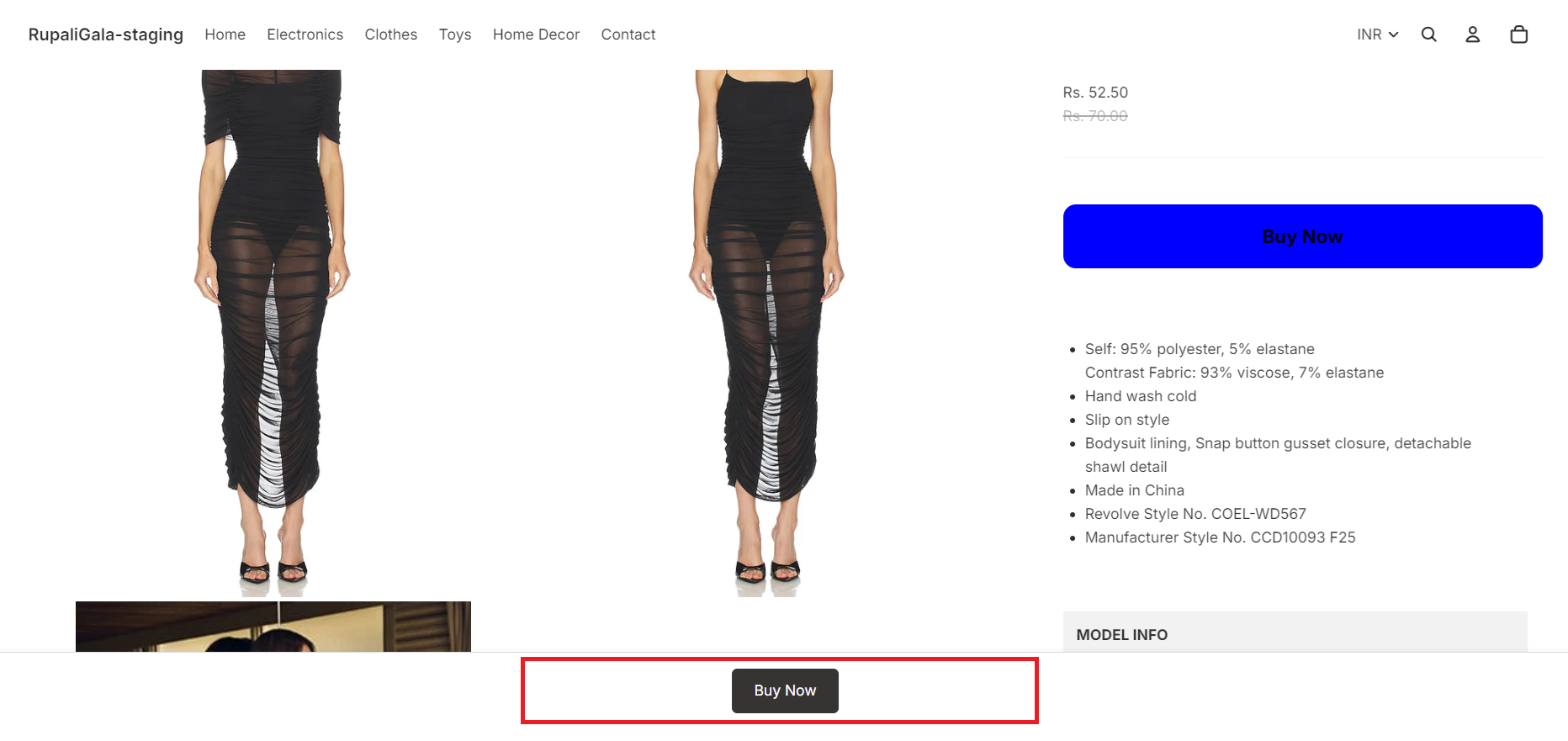
- The Sticky External Link Button remains visible while customers scroll through the product page.
- It is displayed only for products that have an active Outlink configured.
- Customers can access the external link without scrolling back to the main product section.
Sample Preview:
Note: The Sticky Button feature is available for Pro plan and above users only.
Need help?
If you have problems with adding the button or want to change the way the button looks, or for any other request, please raise a support ticket here. We will take care of it.