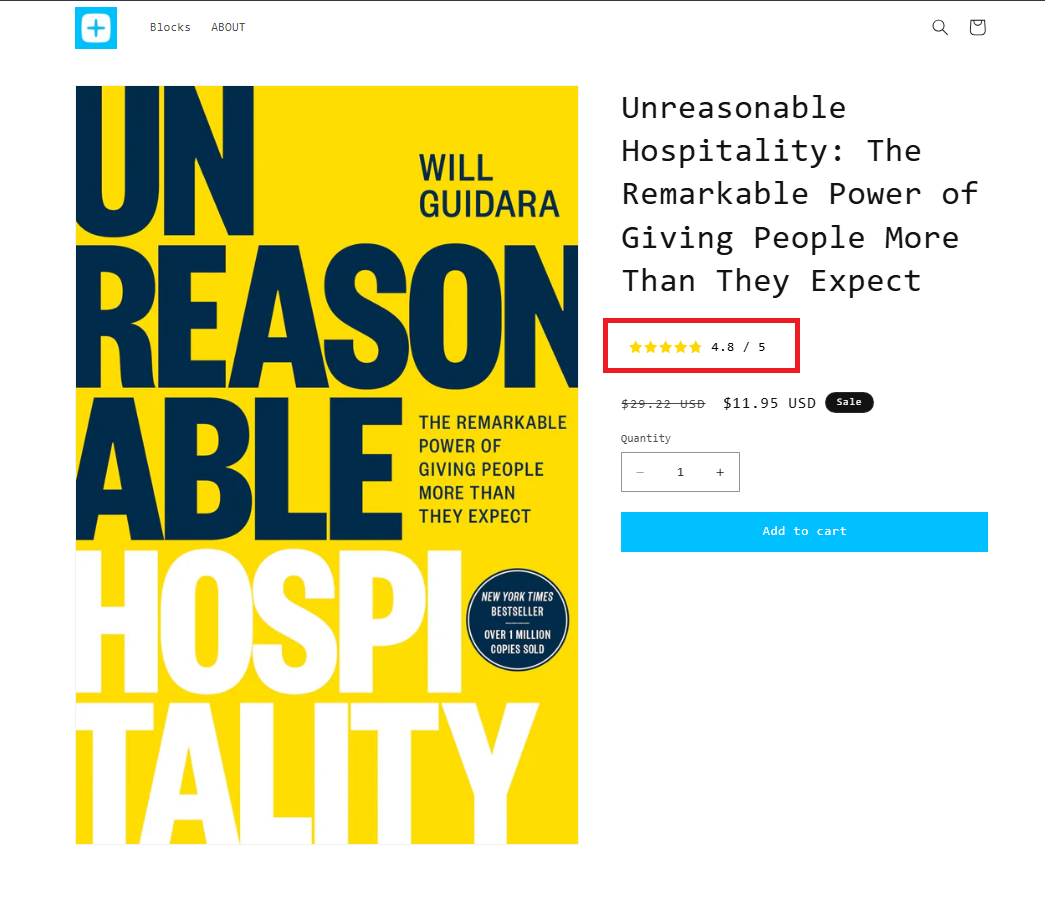
The Product Star Rating Block displays the overall star rating for a product by combining all customer reviews into a single average rating.
This block is ideal for merchants who want to showcase the product's overall reputation, regardless of the selected variant, helping customers quickly gauge its popularity and quality.
✨ Benefits
- ⭐ Display the overall product rating at a glance
- 💬 Showcase the average rating from all customer reviews
- 🤝 Build trust with visible social proof
- 🛍️ Help shoppers make confident purchasing decisions
- 📈 Encourage conversions by highlighting positive customer feedback
With the Product Star Rating Block, you can prominently display your product's overall rating, giving customers instant confidence before they add it to their cart.
How does it work?
Setting up Product Star rating is simple and intuitive:
Step 1: Setup the metafield
1. On your app dashboard homepage, locate the "Product Star Rating" block.
2. Click on "Setup Metafield" to automatically create a variant-level metafield called neo.product_star_rating
Step 2. Assign rating to each variant
1. Go to your Shopify admin and navigate to the specific variant you wish to edit.
2. Scroll down to Metafields and look for "Neo Product Star Rating ".
3. Add the rating you wish to display
Note :
- Min value for rating : 1
- Max Value for rating : 5
- Upto one decimal value allowed
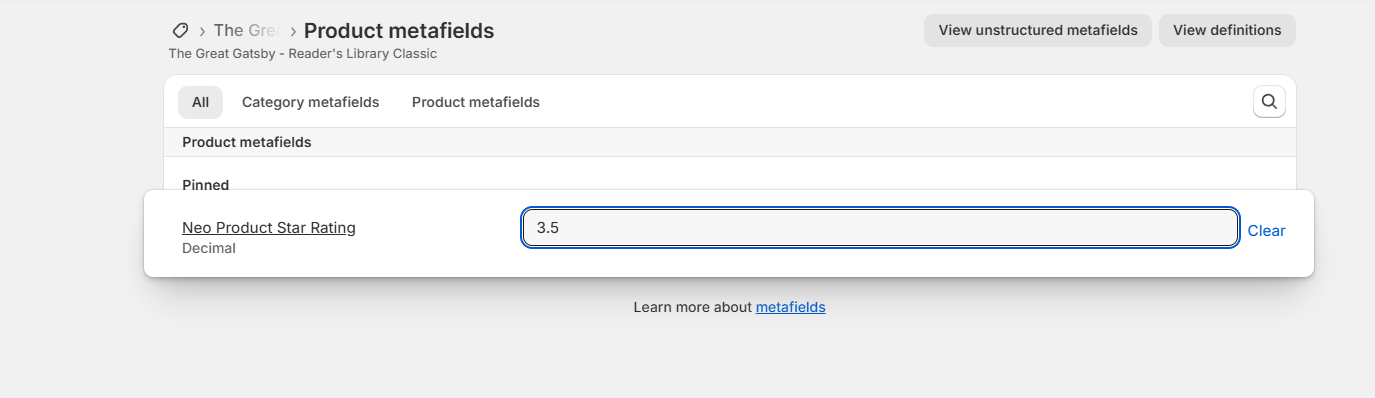
Step 3: Save your changes
Click "Save" to ensure your rating is updated in Shopify.
Step 4: Customize your product template.
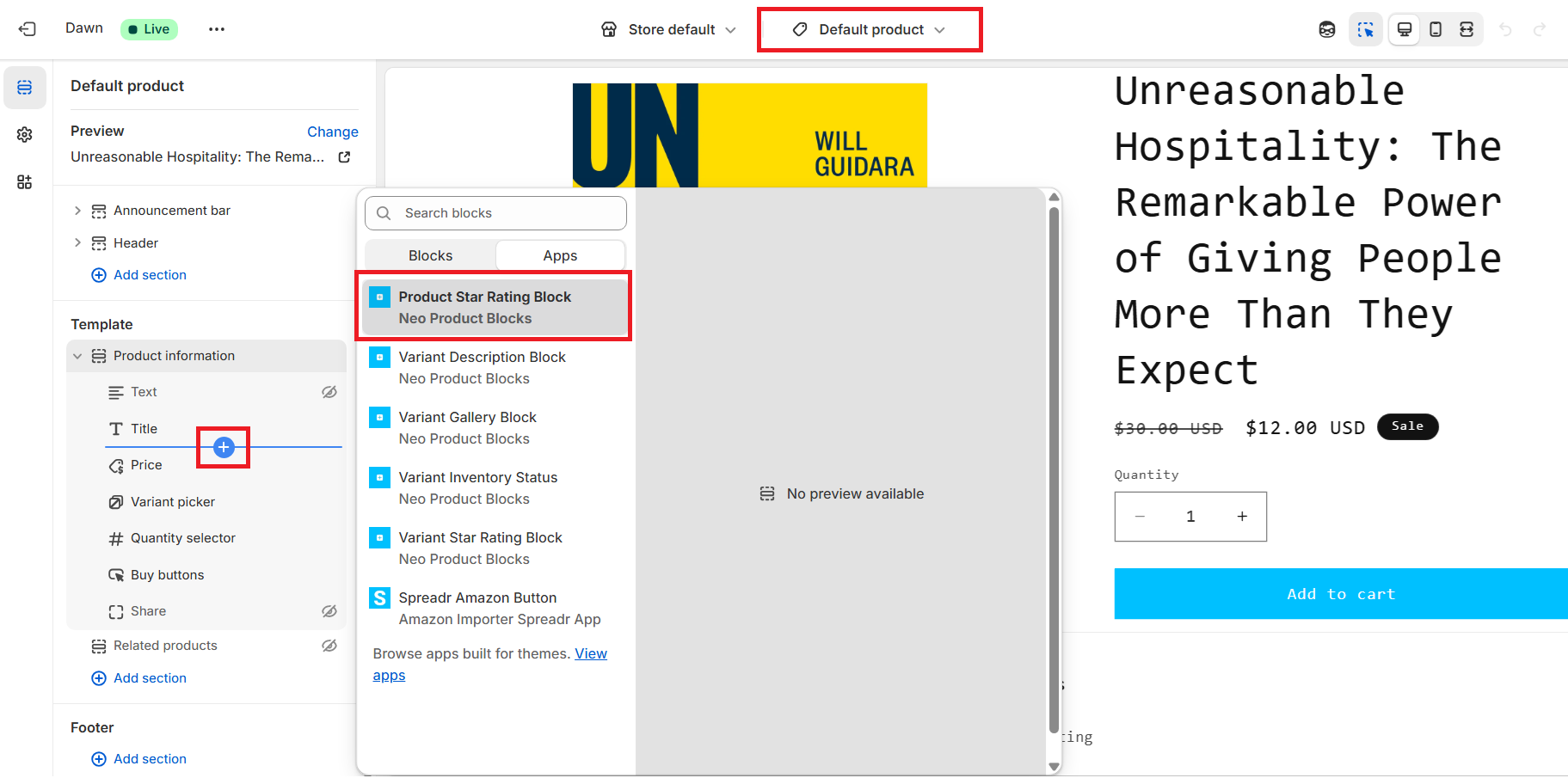
Go to "Customize theme settings" > Select the Product template > Add and place the "Neo Product Star Rating block" as per your requirement.
Step 5: Apply the styling to match your theme
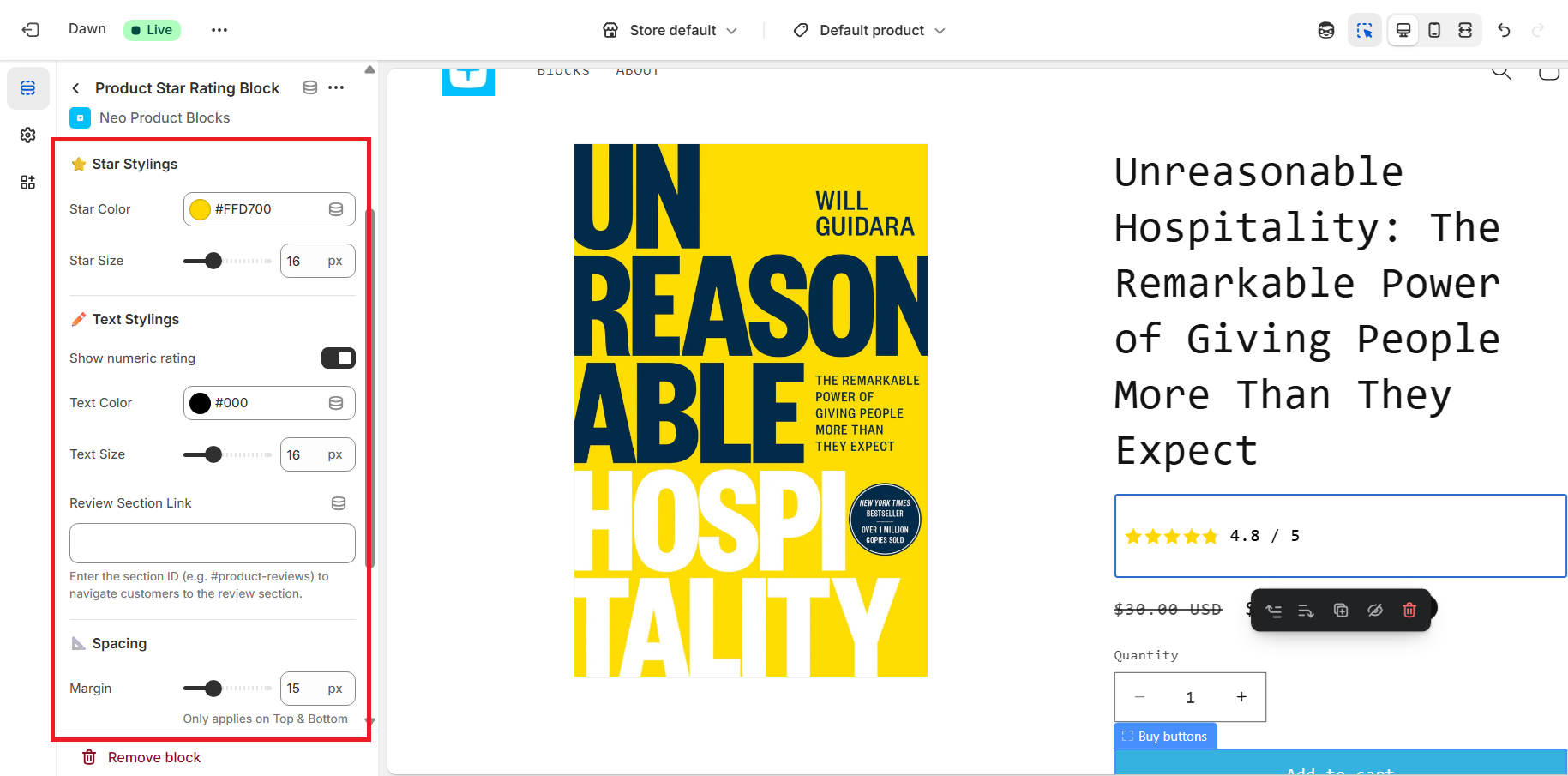
Within the block settings: adjust the styling for stars and text shown for example , color,size etc. Preview changes to ensure it blends seamlessly with your store design.
Step 6: Publish it.
Finally, hit “Save” to publish your updated product pages.
Sample Block Preview :