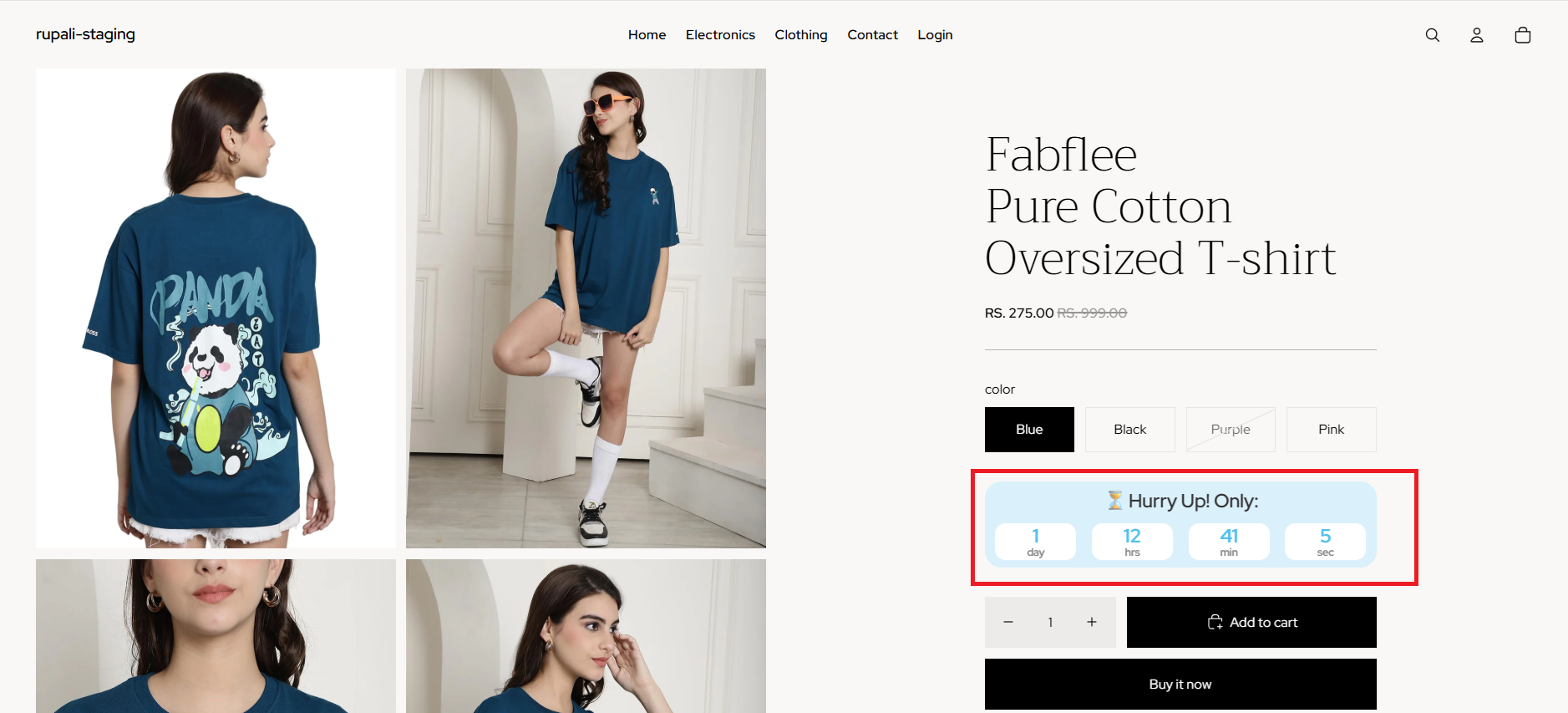
The Countdown Timer Block lets you add a live countdown timer to your Shopify product pages, creating urgency and encouraging customers to complete their purchase before an offer expires.
It's ideal for flash sales, limited-time discounts, product launches, and seasonal promotions.
✨ Benefits
- ⏳ Create urgency with a live countdown timer
- 📈 Boost conversions by promoting time-sensitive offers
- 🛍️ Highlight flash sales, product launches, and special campaigns
- ⚙️ Set custom start and end times for each promotion
- 🎨 Fully customise the timer's colours, style, and layout to match your Shopify store
With the Countdown Timer Block, you can create a sense of urgency that encourages faster purchasing decisions while keeping your promotions front and centre.
How does it work?
Setting up the Countdown Timer Block is quick and easy:
Step 1: Add the block
- Go to your Shopify admin → Online Store → Customize.
- Open your Product template.
- Click Add block and select Neo – Countdown Block.
- Place it wherever you’d like it to appear on the product page.
Step 2: Configure the timer
In the block settings, set your Start Time and End Time. Format for start date and end date: YYYY-MM-DD H:i:s
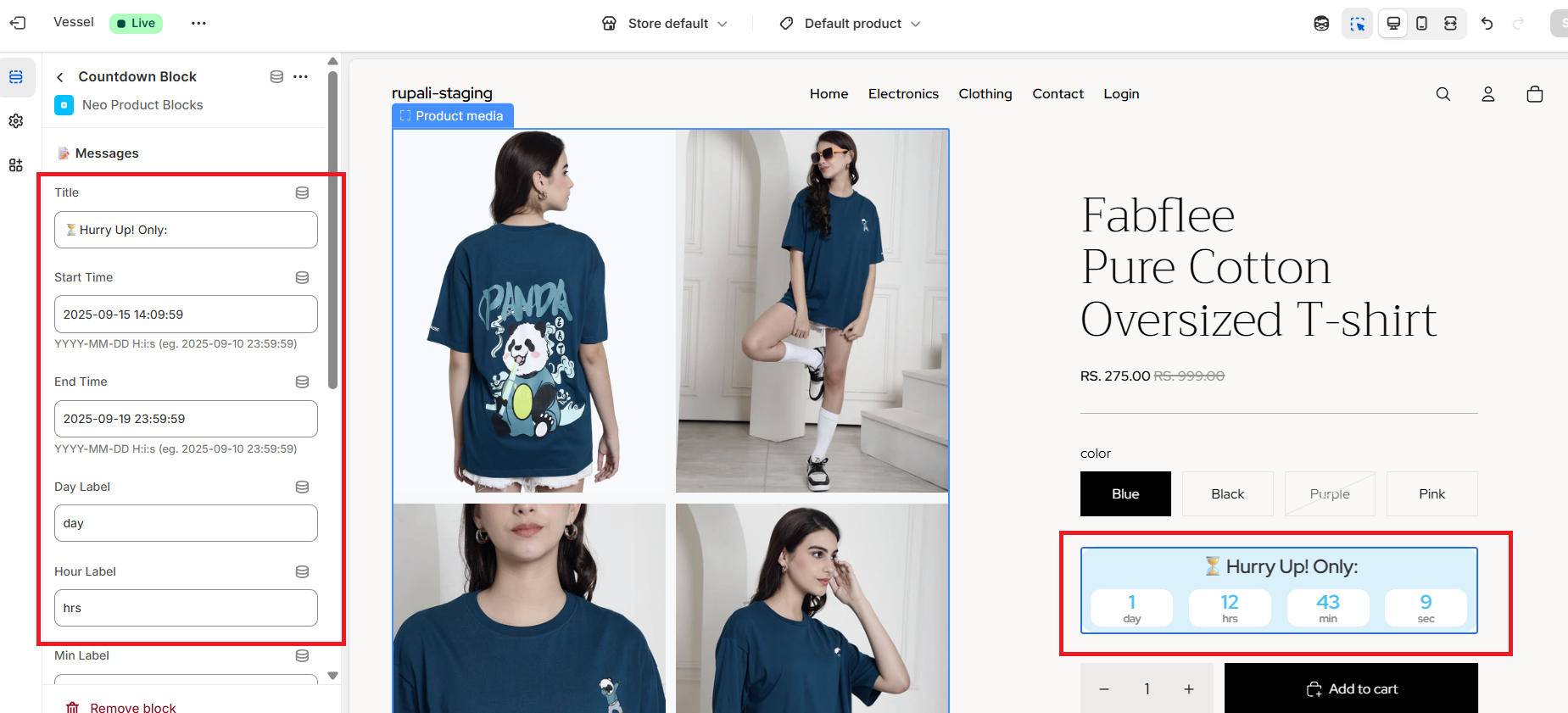
Step 3: Style your block
Adjust styling options (text and background colours, font size, etc.) to match your theme.
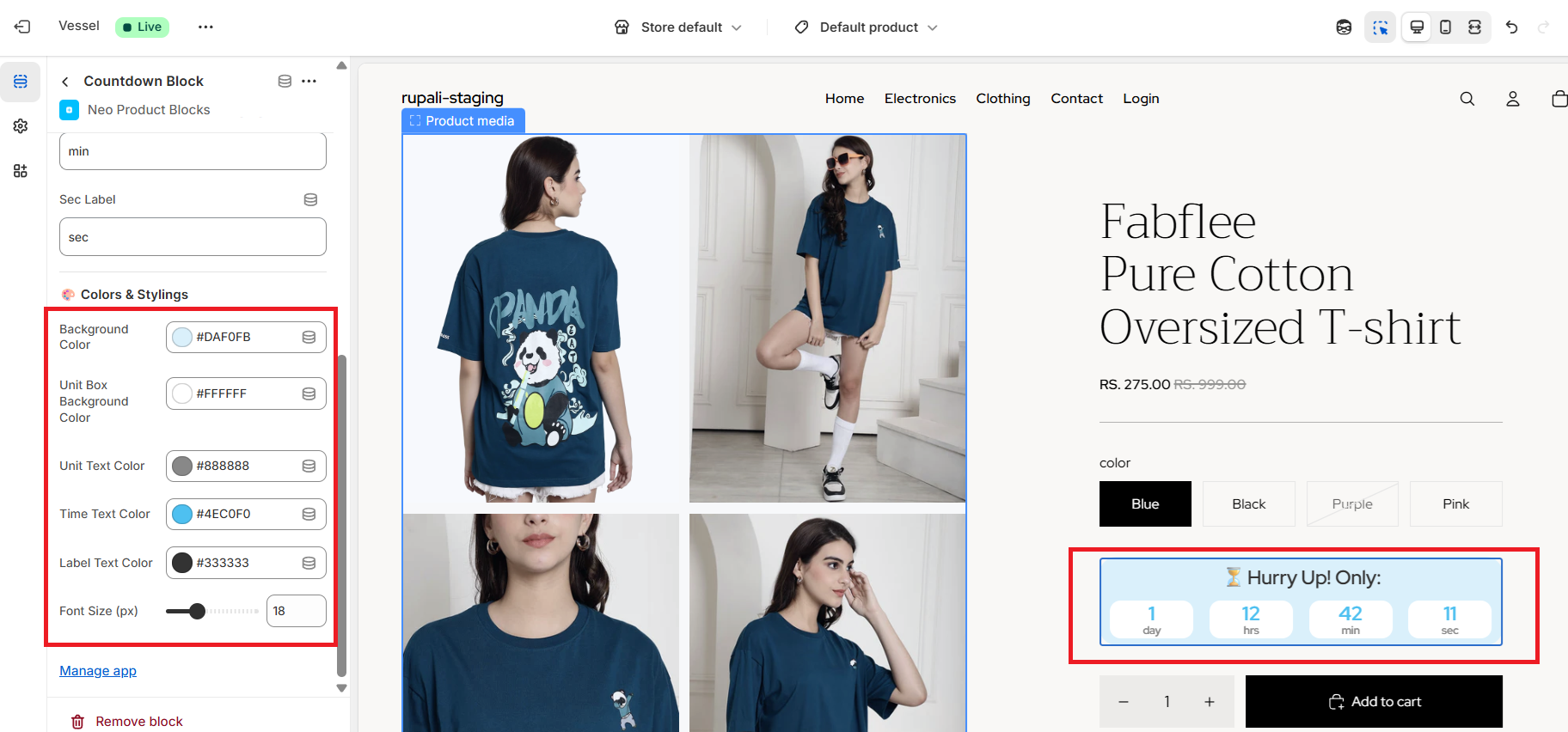
Step 4: Save & Publish
- Preview the timer on your product page.
- Once you’re satisfied, click Save — your live countdown is now active!
Sample Preview block :