To ensure that your invoice emails are delivered successfully and are not flagged as spam or spoofed, you need to verify your email address. Follow these steps to complete the verification:
Step-by-Step Instructions
- Go to your Sleek dashboard > Navigate to Settings > Email > Enter your desired "From" email address in the input box > Click Verify Email.

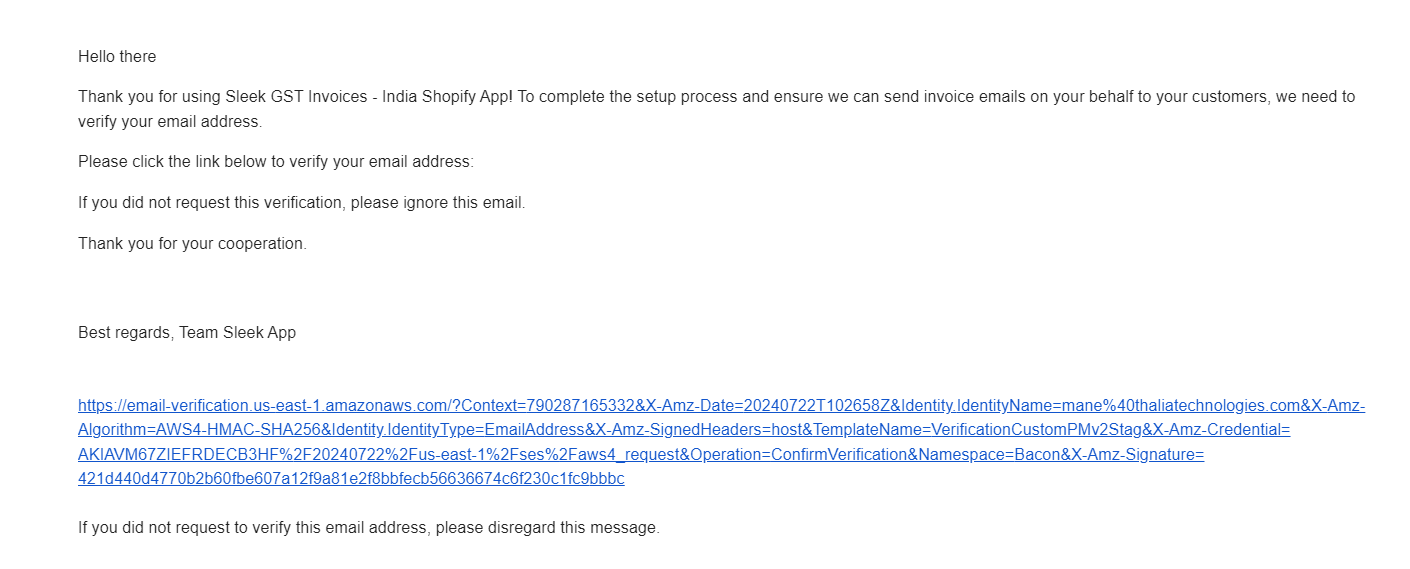
An email (from no-reply-sleek@thaliatechnologies.com) will be sent to the address you provided. Open this email and click on the verification link. The email that you will receive will look like this:
After clicking the link, you will be redirected back to your dashboard, where you will see a "Verified" message.
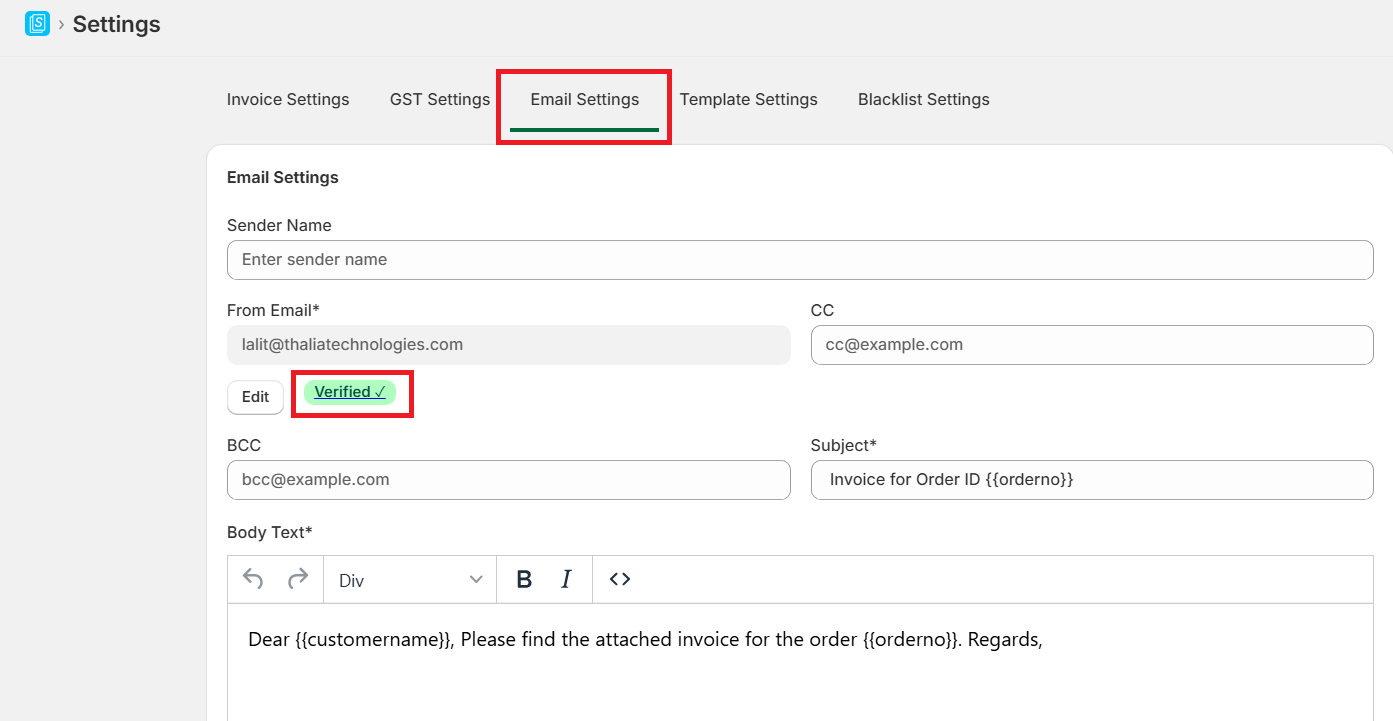 Expected Result
Verifying your email address will help ensure that invoice emails are delivered properly and avoid being marked as spam.
Note:
- If you don’t see the verification email in your inbox, check your spam or junk folder.
- To update your email address, follow the same steps with the new address.
Need help? Contact [email protected]