Shipr allows you to whitelist specific Shopify SKUs for Amazon FBA fulfillment.
When a whitelist is configured, only the SKUs included in the whitelist are eligible for FBA fulfillment. All other SKUs are ignored.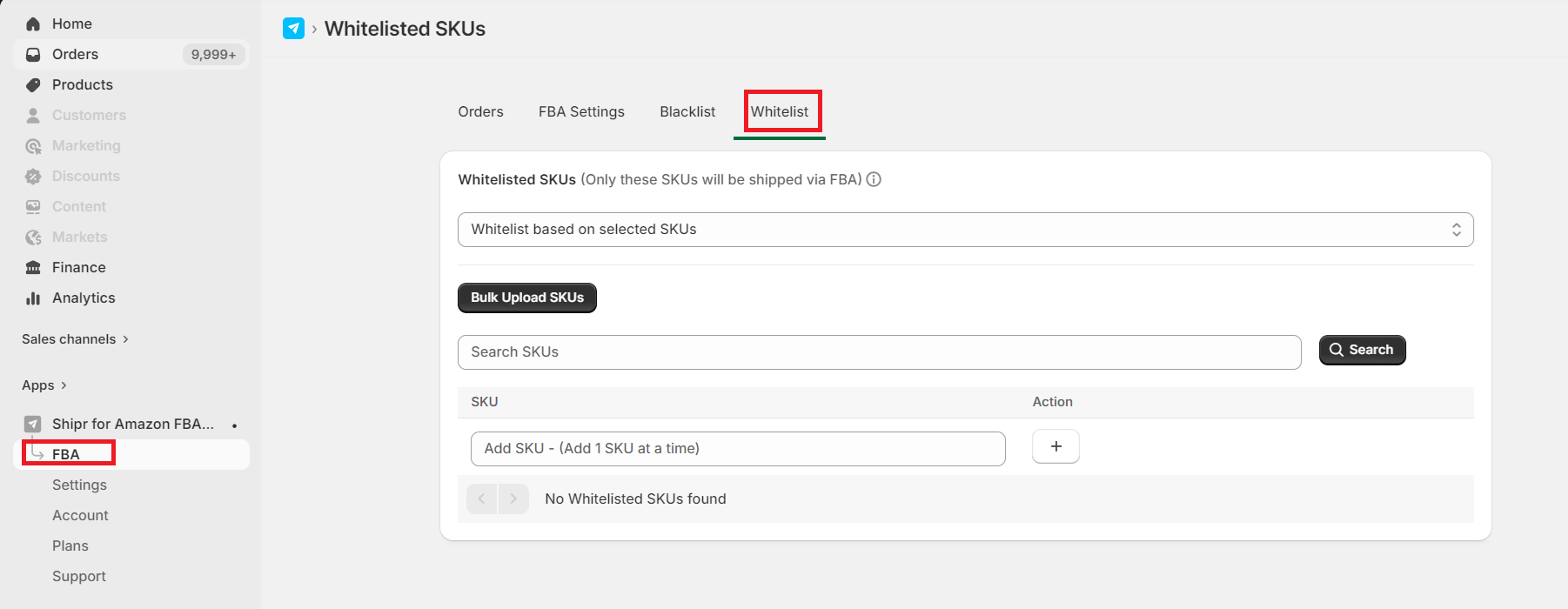
How It Works
- Only whitelisted SKUs are sent to Amazon FBA for fulfillment.
- SKUs that are not included in the whitelist are skipped.
- If no SKUs are added to the whitelist, all Shopify SKUs are considered whitelisted by default.
Whitelist vs. Blacklist
If the same SKU exists in both the Whitelist and the Blacklist, the Blacklist takes priority.
As a result, that SKU will not be fulfilled through Amazon FBA.
Multi-Item Orders
If a Shopify order contains a mix of whitelisted and non-whitelisted products:
- Only the whitelisted SKUs will be sent to Amazon FBA.
- Non-whitelisted SKUs will be ignored and will not be included in the FBA fulfillment request.
This allows you to use a combination of FBA and manual fulfillment within the same order.
Bulk Import via CSV
You can quickly manage your whitelist by uploading a CSV file containing Shopify SKUs.
Important: Uploading a CSV file replaces the entire existing whitelist with the new list. Any SKUs not included in the uploaded file will be removed from the whitelist.
Best Practices
- Use the whitelist when you want only selected products to be fulfilled through Amazon FBA.
- Leave the whitelist empty if you want all eligible SKUs to be fulfilled by default.
- Review your whitelist after importing a CSV to ensure it contains all required SKUs.
Tip: If you need to exclude a small number of products, consider using the SKU Blacklist instead. Use the Whitelist when only a specific subset of your catalog should be fulfilled through Amazon FBA.