Shipr allows you to blacklist specific Shopify SKUs to prevent them from being fulfilled through Amazon FBA.
Any SKU added to the blacklist will be excluded from automatic FBA fulfillment, while all other eligible SKUs will continue to be processed normally.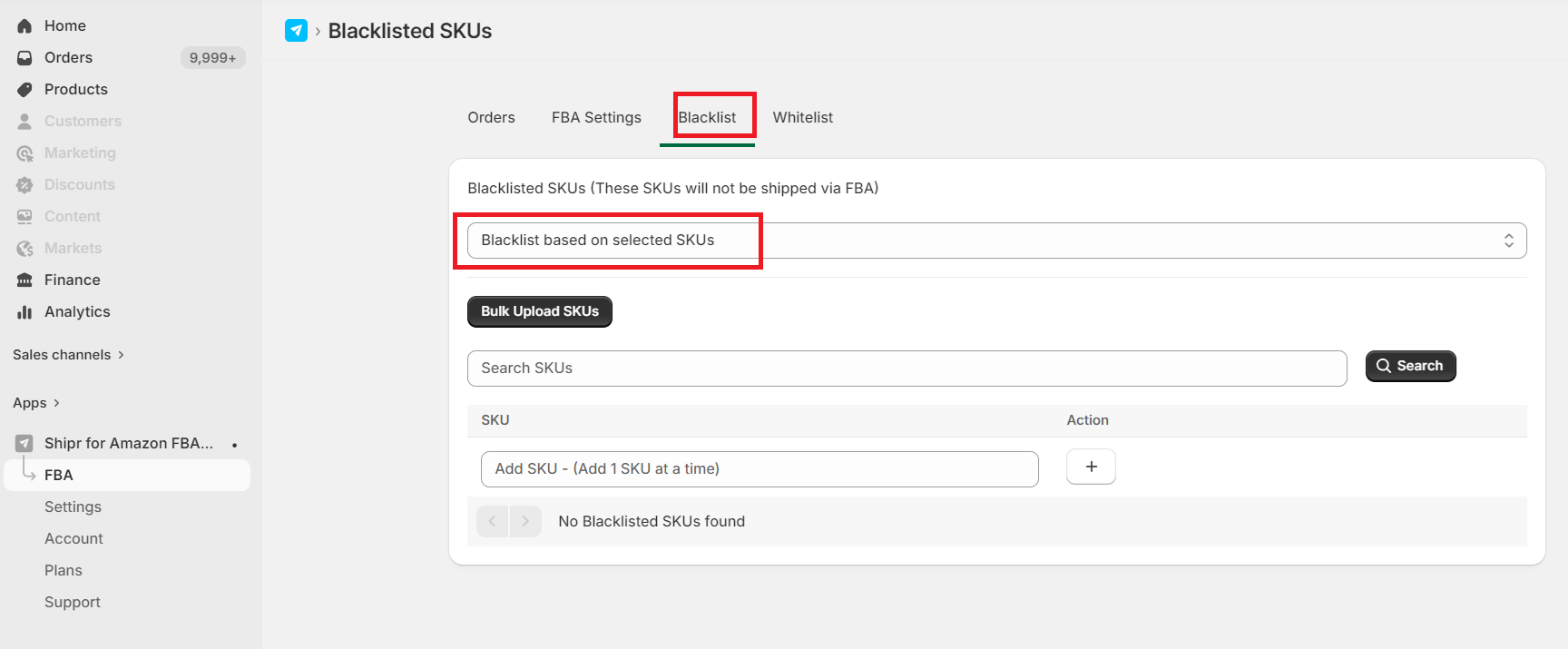
How It Works
When a Shopify order contains a blacklisted SKU:
- Shipr skips FBA fulfillment for that SKU.
- Non-blacklisted SKUs continue to be processed as usual.
- The order can be fulfilled manually or through another fulfillment method.
Blacklist SKUs Individually
You can manually add one or more Shopify SKUs to the blacklist directly from the Shipr dashboard.
This is useful when you only need to exclude a few products.
Bulk Import via CSV
For larger product catalogs, Shipr allows you to upload a CSV file containing multiple SKUs.
Important: Uploading a CSV replaces the entire existing SKU blacklist with the new list. Any previously blacklisted SKUs not included in the uploaded file will be removed.
Additional Blacklisting Options
In addition to SKU-based blacklisting, Shipr also lets you exclude products based on:
- Product Tags
- Order Tags
These options provide greater flexibility when controlling which orders should or should not be fulfilled through Amazon FBA.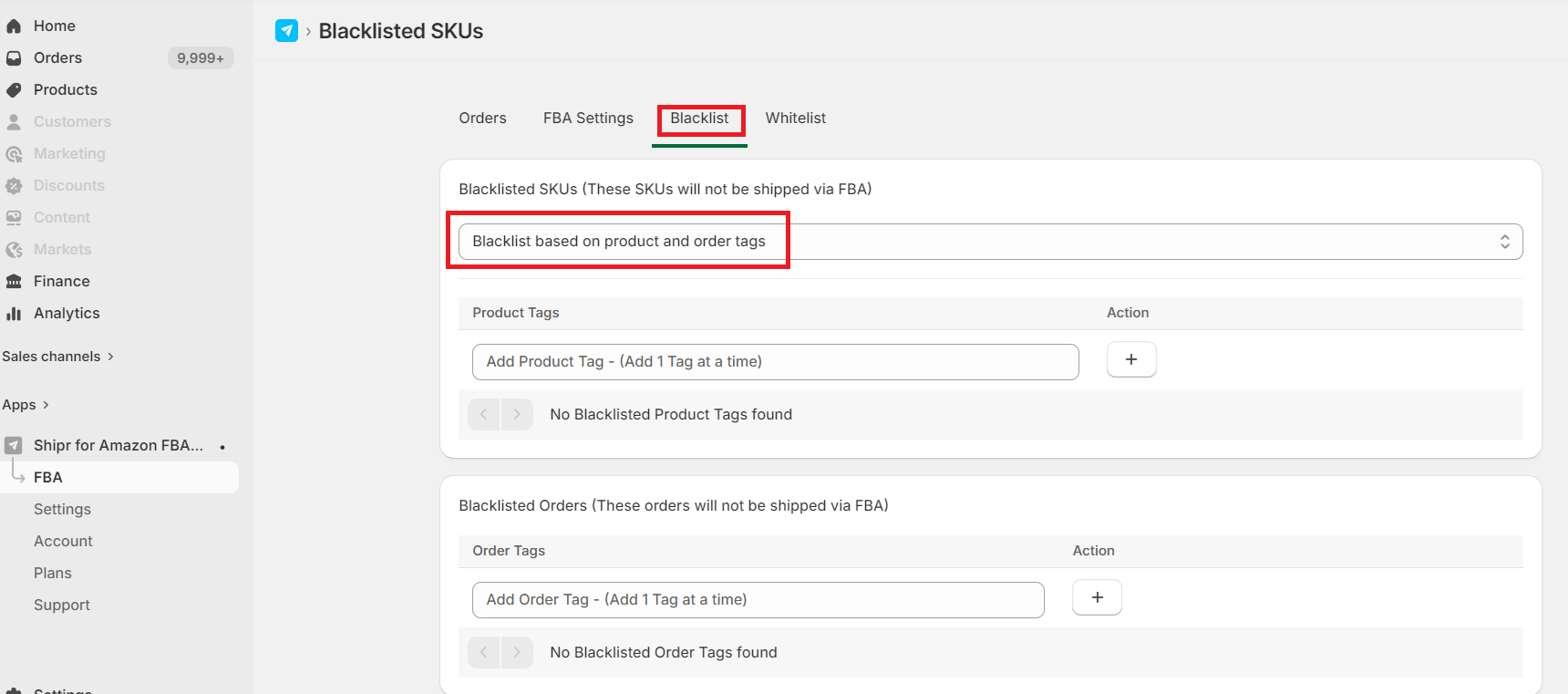
Best Practices
- Use SKU Blacklisting to exclude specific products from Amazon FBA fulfillment.
- Use Product Tags or Order Tags when you need to exclude groups of products without maintaining a SKU list.
- Review your blacklist periodically, especially after importing a new CSV file.
Tip: If you frequently update your product catalog, maintaining your blacklist using Product Tags or Order Tags can be easier than managing individual SKUs.