To direct shoppers to Amazon from your Collection pages, you have three integration alternatives:
1. Add a new Spreadr button
Let's say you want to add the Spreadr button below the price on the product cards on the Collection page.
Please be sure to look for snippets/card-product.liquid file (or the file that holds the product card info).
Add the code below the price information.
{% render 'spreadr-custom', product: card_product, s_showSpreadr:1, s_hideCart:0 , s_classes: 'quick-add__submit button button--full-width button--secondary', s_style: '' %} |
The code will look as -
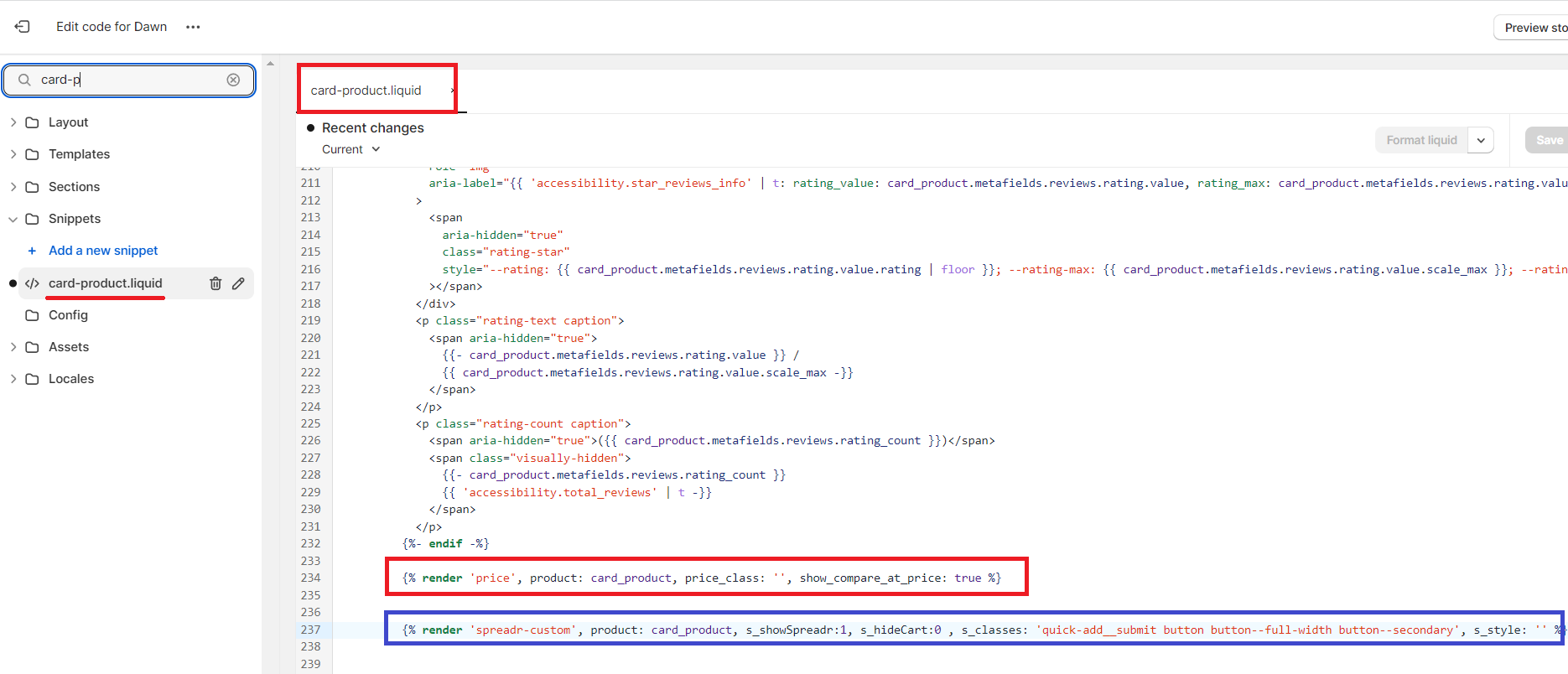
This will add a Spreadr button below the price information on the Product Card.
2. Replace the existing Add to Cart button with the spreadr button
Go to snippets/card-product.liquid file.
Add the code shown below to replace the Add to Cart button with a Spreadr button for Spreadr products.
{% render 'spreadr-custom', product: card_product, s_showSpreadr:1, s_hideCart:1 , s_classes: 'quick-add__submit button button--full-width button--secondary', s_style: '' %} <div class="s_original_{{ card_product.id }}"> // <button> code </div> |
The code will look as -
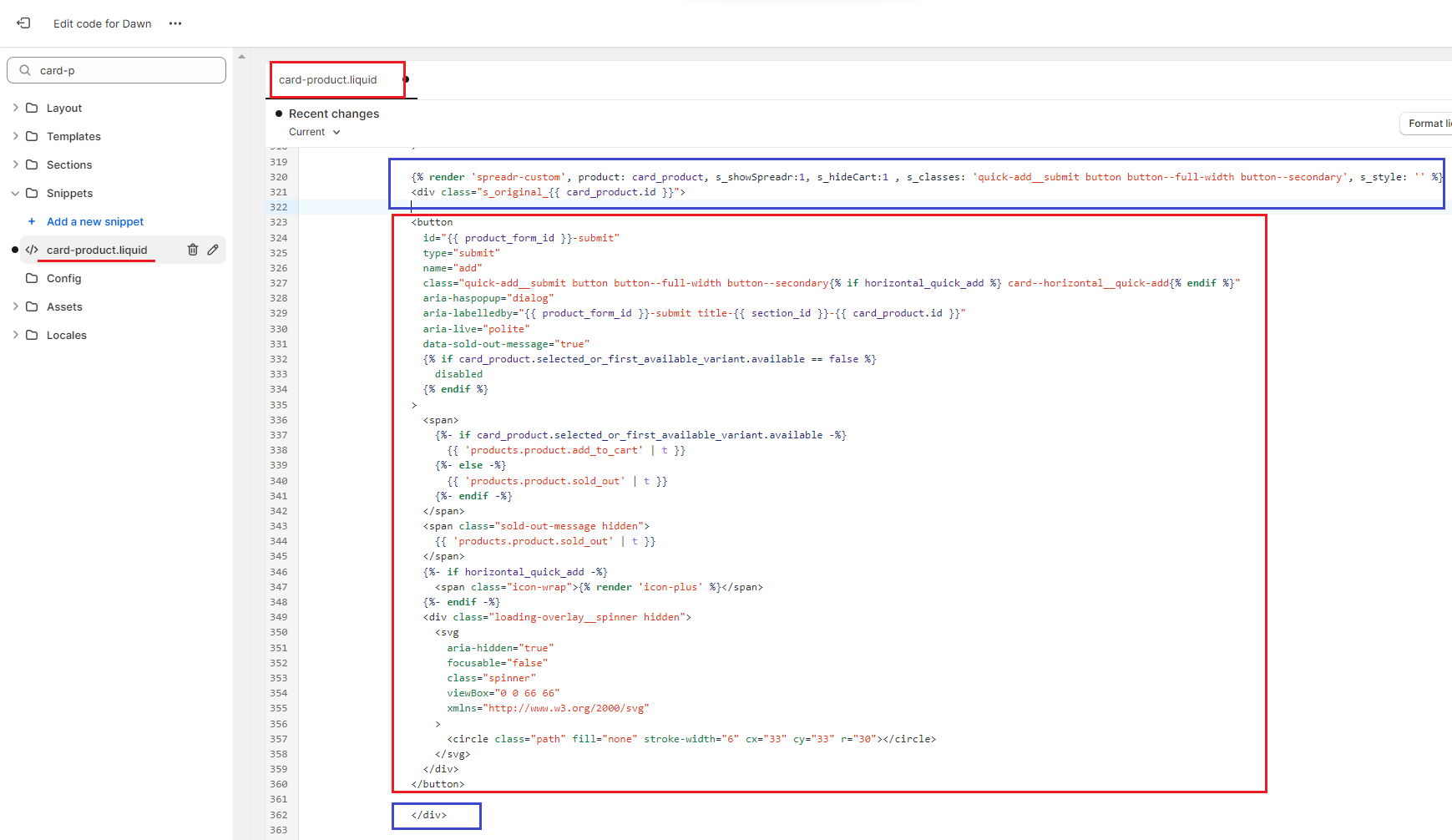
This will replace the existing Add to Cart button with the Spreadr button.
3. Redirect to the Amazon link by clicking the product card
If you want the users to be redirected to the Amazon page on clicking the product card then follow the steps below:
Go to snippets/card-product.liquid file.
Locate the HTML for the product title. You can search for the keyword 'card_product.title' in <a> element.
Add the code shown below:
{% render 'spreadr-custom', product:card_product, s_showSpreadr:0, s_hideCart:1 , s_classes: '', s_style: '' %} {% if product.metafields.global["spreadr-tag"] == "spreadr-affiliate" %} <a id="{{ spreadr_link_id }}" name="SpreadrLink" data-productid="{{card_product.id}}" onclick="SpreadrButtonClick{{card_product.id}}()" href="{{ spreadr_url }}" target="_blank" class="full-unstyled-link" rel="nofollow">{{ card_product.title }}</a> {% endif %} <div class="s_original_{{ card_product.id }}"> //<title code> </div> |
The code will look as -
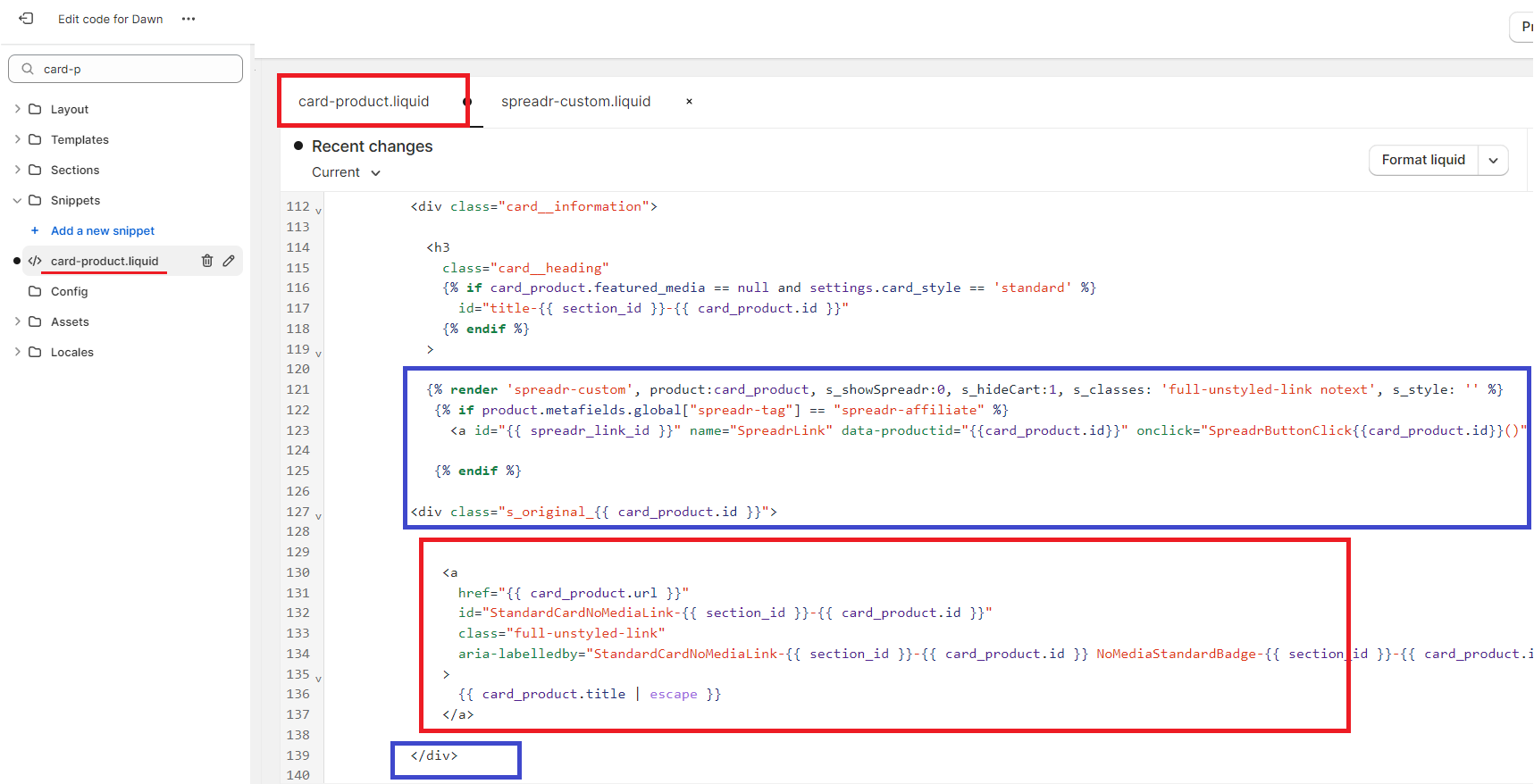
Similarly, the Spreadr button code can be placed for the Featured Product Card on the Home page, and also on the product grid on the Search page.
Liquid structure variations depend on active storefront themes. If you need help with installation, contact [email protected]. Our support team will integrate this for you.