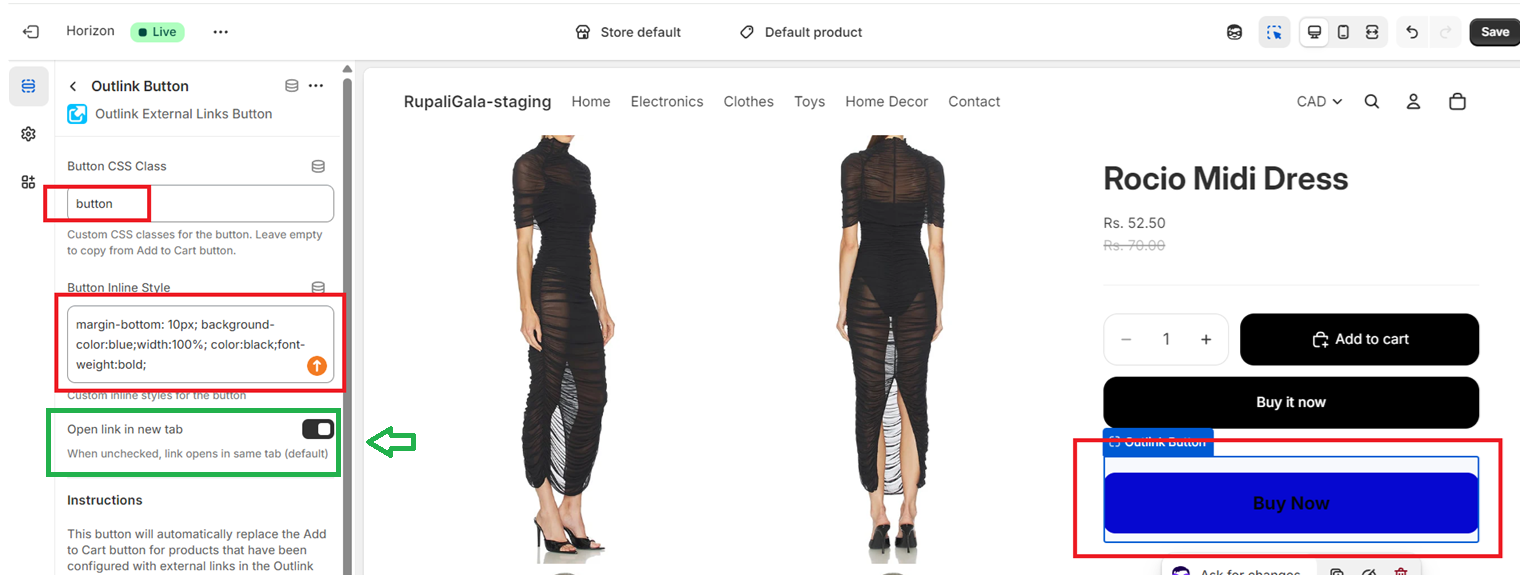
You can configure the Outlink button to open external links in a new browser tab directly from the Outlink App Block settings.
How to Enable "Open Link in New Tab"
- Open your Shopify Admin and go to Online Store → Themes → Customize.
- Open the Product template where the Outlink App Block is added.
- Select the Outlink App Block.
- Turn ON the Open link in new tab option.
- Click Save.
Once enabled, customers who click the Outlink button will be redirected to the external website in a new browser tab.