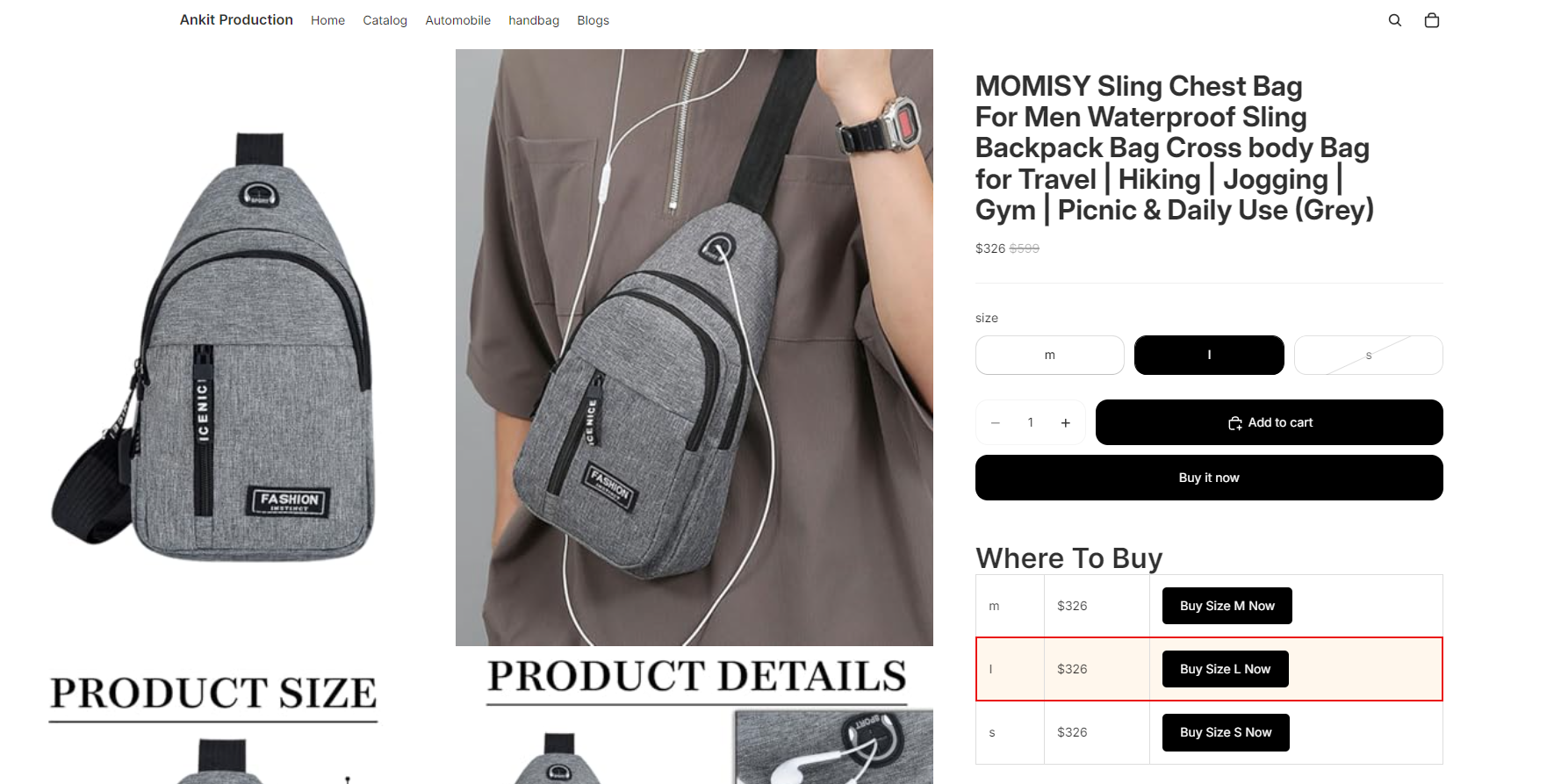
Yes. Outlink lets you highlight the currently selected variant in the Variant Table, making it easier for customers to identify the option they've chosen.
You can also customize the highlight style to match your storefront's design.
How to Enable Selected Variant Highlight
- Open your Shopify Admin and go to Online Store → Themes → Customize.
- Open the Product template where the Variant Table App Block is added.
- Select the Outlink Variant Table app block.
- Turn ON the Selected Variant Highlight option.
- Customize the highlight appearance by adjusting:
- Border Color
- Border Thickness
- Background Color
- Click Save to apply your changes.
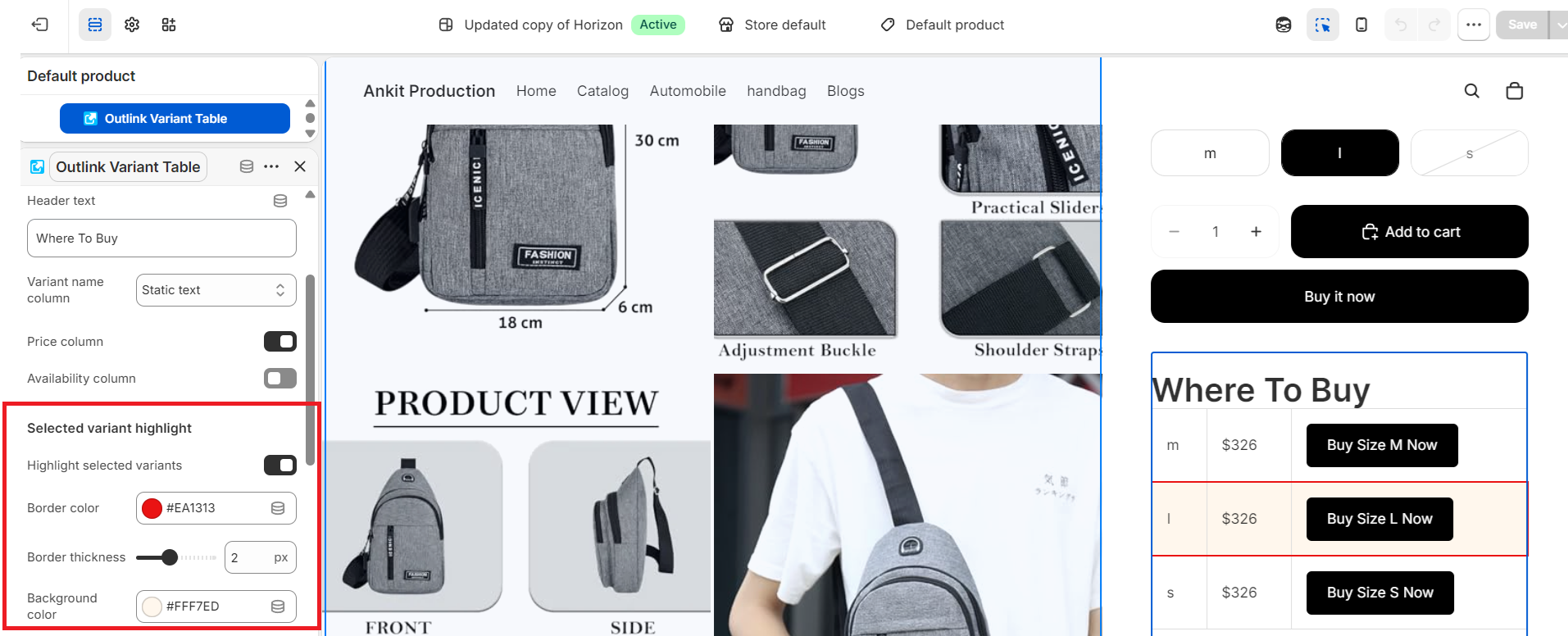
Sample preview :