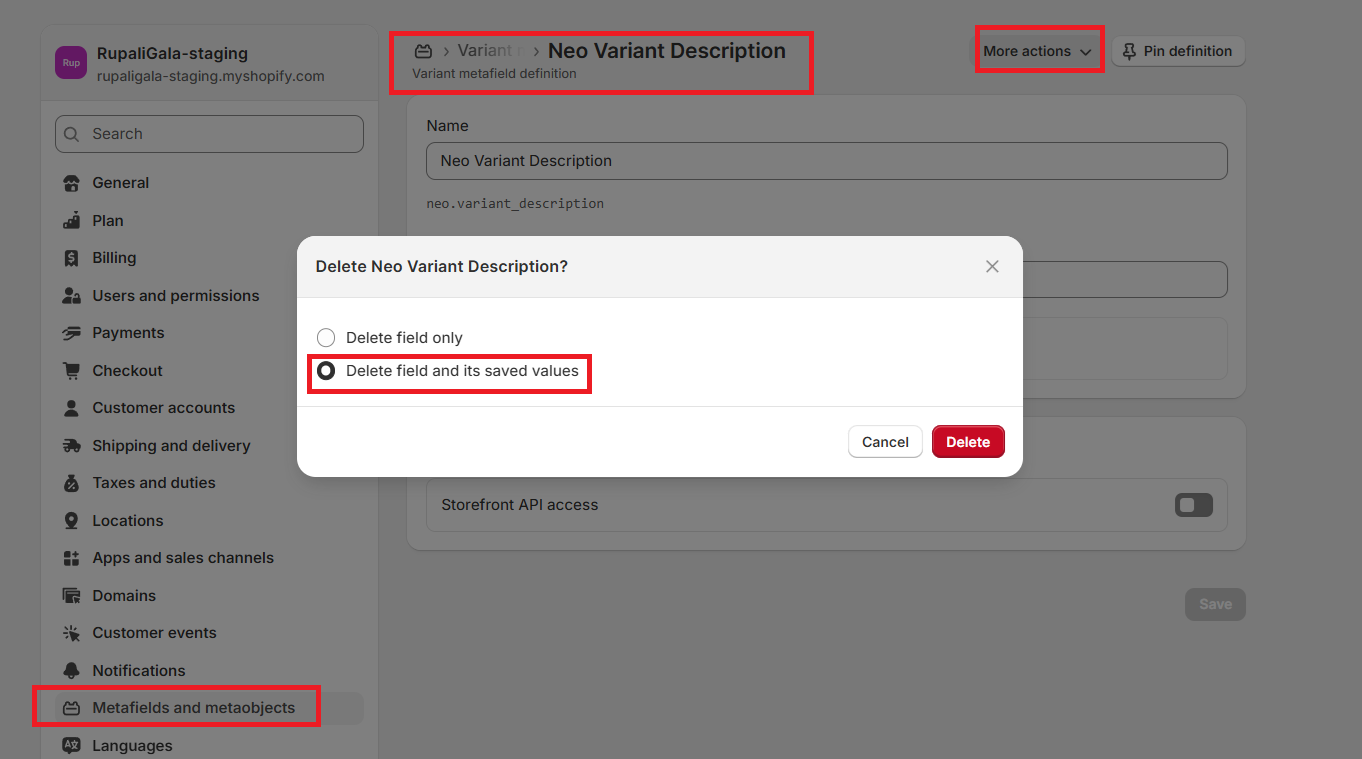
If the Variant Description Block still appears after deleting the neo.variant_description metafield, it's likely that the metafield's saved values were not removed from your store.
You can resolve this using either of the following methods:
Option 1: Remove the Block from Your Theme
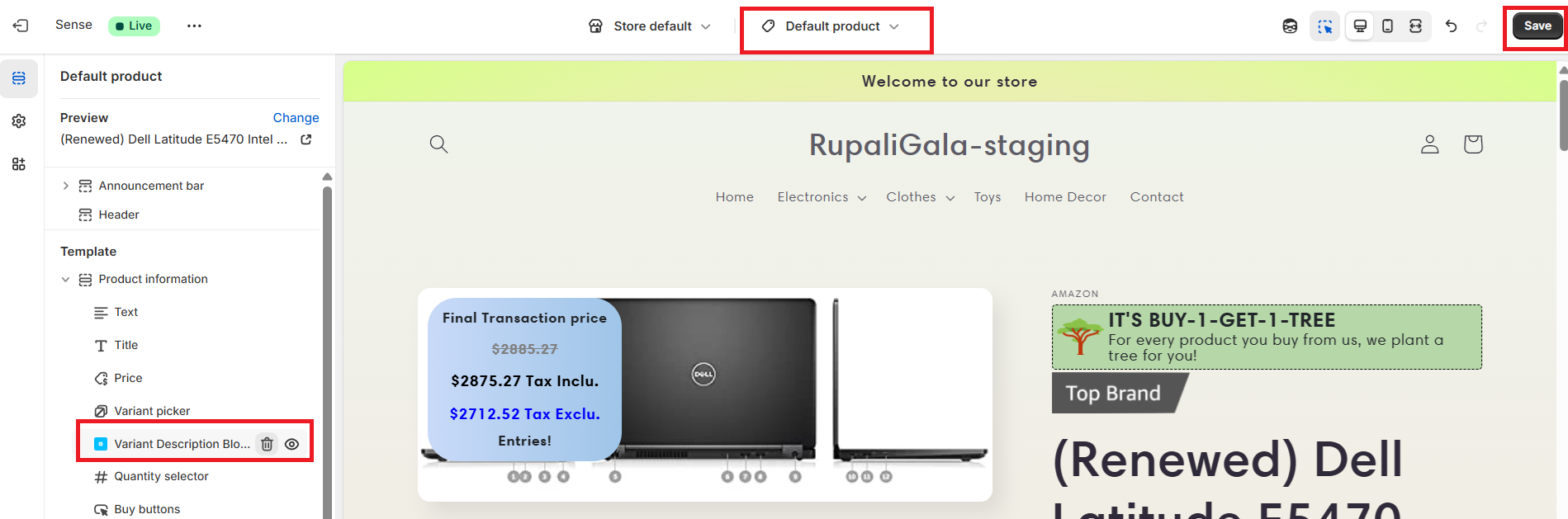
- Go to Shopify Admin → Online Store → Themes → Customize.
- Open the product page template where the Variant Description Block has been added.
- Locate the block, click Remove Block, and then click Save.


Option 2: Delete the Metafield and Its Saved Values
- Open the Neo Product Blocks app.
- Recreate the Variant Description Block. This will restore the
neo.variant_descriptionmetafield. - Delete the metafield again, but this time select Delete field and its saved values to completely remove it from your store.
This ensures that both the metafield definition and all associated data are deleted.
📖 For more information, refer to guide on deleting metafields here.