If you no longer need Flo SKU Sync, you can uninstall it from your Shopify store at any time.
Before uninstalling, we recommend disabling inventory synchronization to prevent any further sync activity.
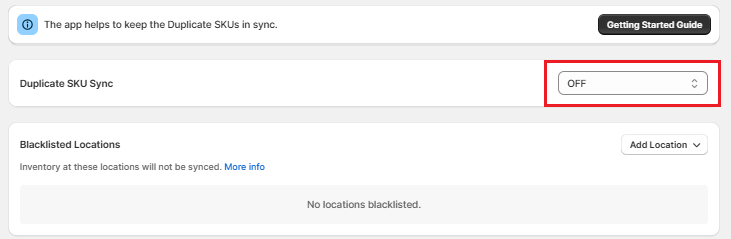
Step 1: Disable Inventory Sync
Open the Flo SKU Sync app and turn OFF the Duplicate SKU Sync master switch from the dashboard.
This stops the app from processing any future inventory updates.
Step 2: Uninstall the App
- Log in to your Shopify Admin.
- Navigate to Apps.
- Click Apps and sales channels settings.
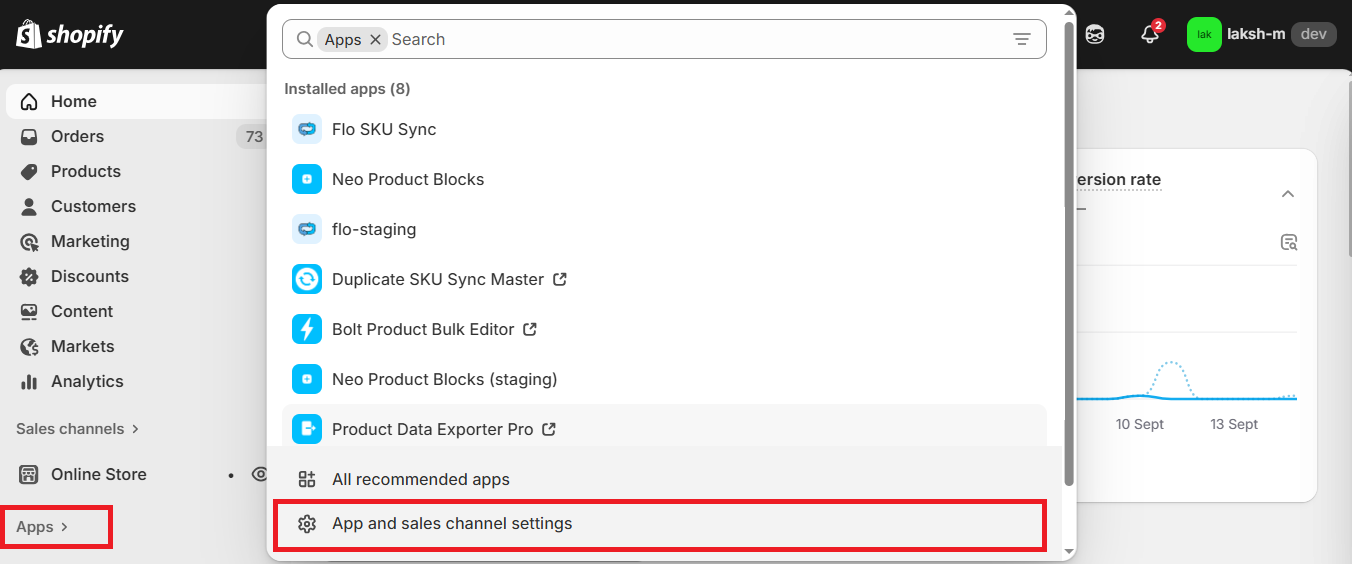
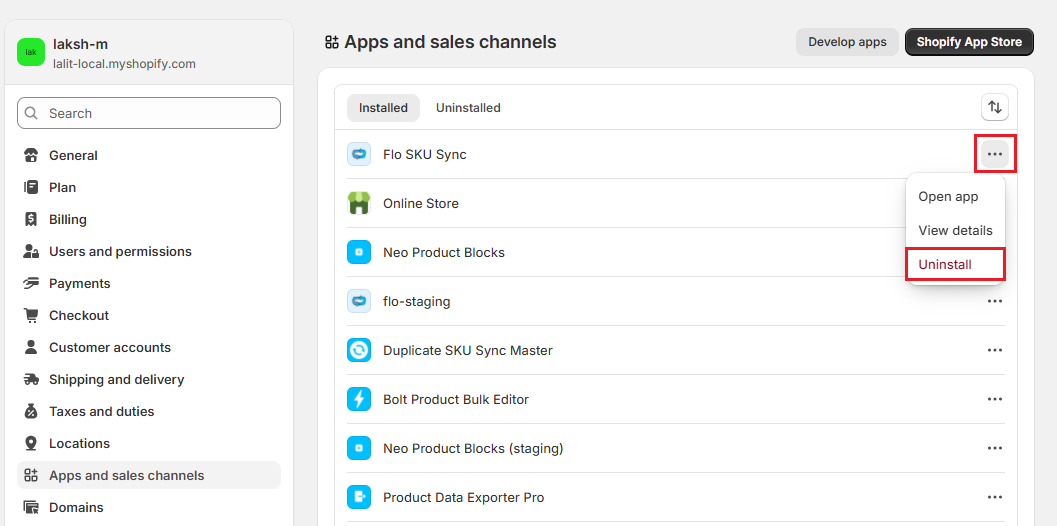
- Locate Flo SKU Sync in the list of installed apps.
- Click the ⋯ (More actions) menu next to the app.
- Select Uninstall and confirm the action.
Uninstallation Complete
Once the app is removed:
- Inventory synchronization stops immediately.
- Your subscription is automatically cancelled.
- The app does not leave behind any theme code, scripts, or files that require manual removal.
Need Help?
For detailed instructions on uninstalling apps, refer to Shopify guide to uninstall the app. from your store.
Important Note
Uninstalling Flo SKU Sync automatically terminates your active subscription through Shopify Billing. Any outstanding charges, if applicable, will appear on your next Shopify invoice according to Shopify's billing cycle.