Flo SKU Sync automatically keeps the inventory of products and variants that share the same SKU synchronized across your Shopify store. Once enabled, the app monitors inventory changes and updates all duplicate SKUs to maintain consistent stock levels.
Getting Started
1. Install the App
Install Flo SKU Sync from the Shopify App Store.
2. Initial Product Scan
When you open the app for the first time, it will automatically scan and fetch all products in your Shopify store.
Depending on the size of your catalogue, this process may take anywhere from a few seconds to several minutes.
Once complete, you'll see the "Products Successfully Fetched" message on the dashboard.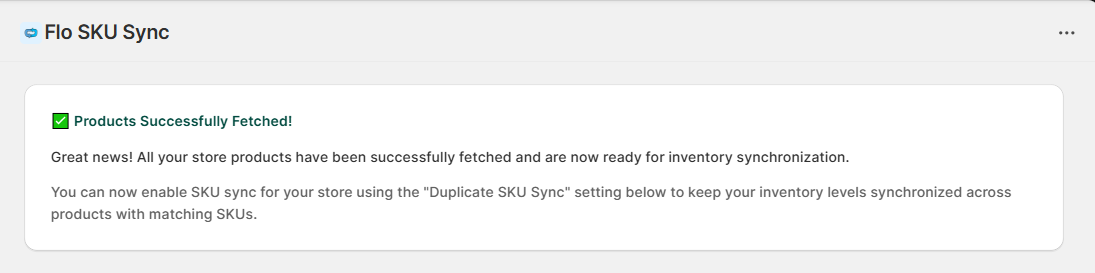
3. Enable Inventory Sync
After the initial scan is complete, turn ON the Duplicate SKU Sync toggle from the app's Home page.
Once enabled, the app will begin monitoring inventory changes automatically.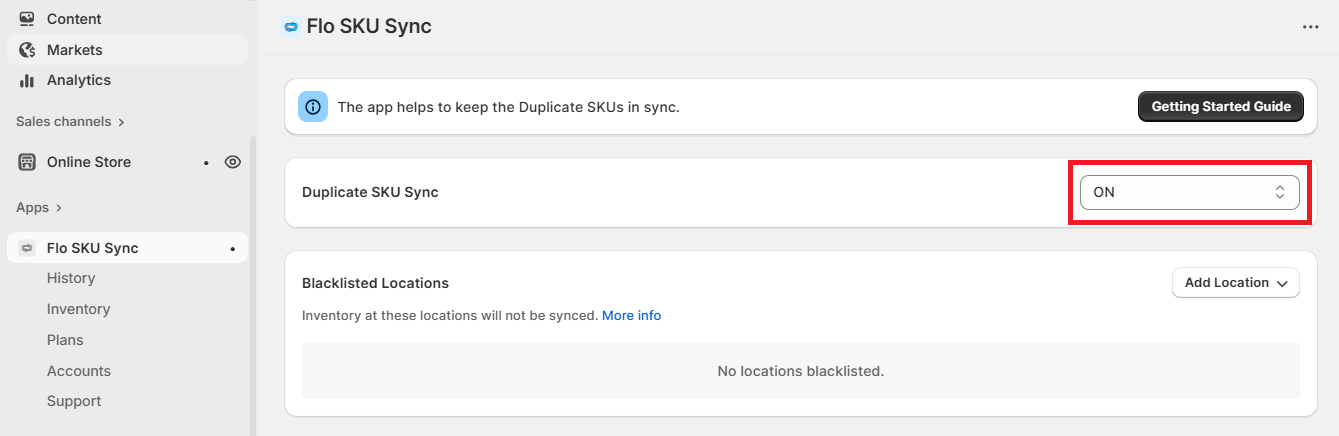
What Triggers Inventory Sync?
Flo SKU Sync automatically synchronizes duplicate SKUs whenever inventory changes occur through any of the following actions:
- A customer places an order on Shopify.
- A refund or restock is processed.
- Inventory is restocked using the Flo SKU Sync dashboard.
- Inventory is updated manually from the Shopify Admin.
- Inventory is changed by another Shopify app.
Whenever one of these events occurs, Flo SKU Sync updates the inventory for all products and variants sharing the same SKU, helping ensure stock levels remain consistent across your store.
Key Features
- Automatically synchronizes inventory for duplicate SKUs.
- Supports inventory synchronization across multiple Shopify locations.
- Quickly view and restock duplicate SKUs using the Quick View and Detailed View features.
- Helps maintain accurate inventory and reduce manual updates.
Important Notes
- The app supports syncing duplicate SKUs across multiple Shopify locations.
- You can easily view and restock duplicate SKUs using the Quick View and Detailed View tools.
- Flo SKU Sync currently synchronizes only the Available inventory quantity.
- Inventory States such as On Hand, Committed, Reserved, and other Shopify inventory states are not currently supported.