The Customer Preference feature allows shoppers to switch between tax-inclusive and tax-exclusive prices directly from your storefront. A toggle switch is added to your store's header, giving customers the flexibility to choose how prices are displayed.
Step 1: Configure the Toggle Switch
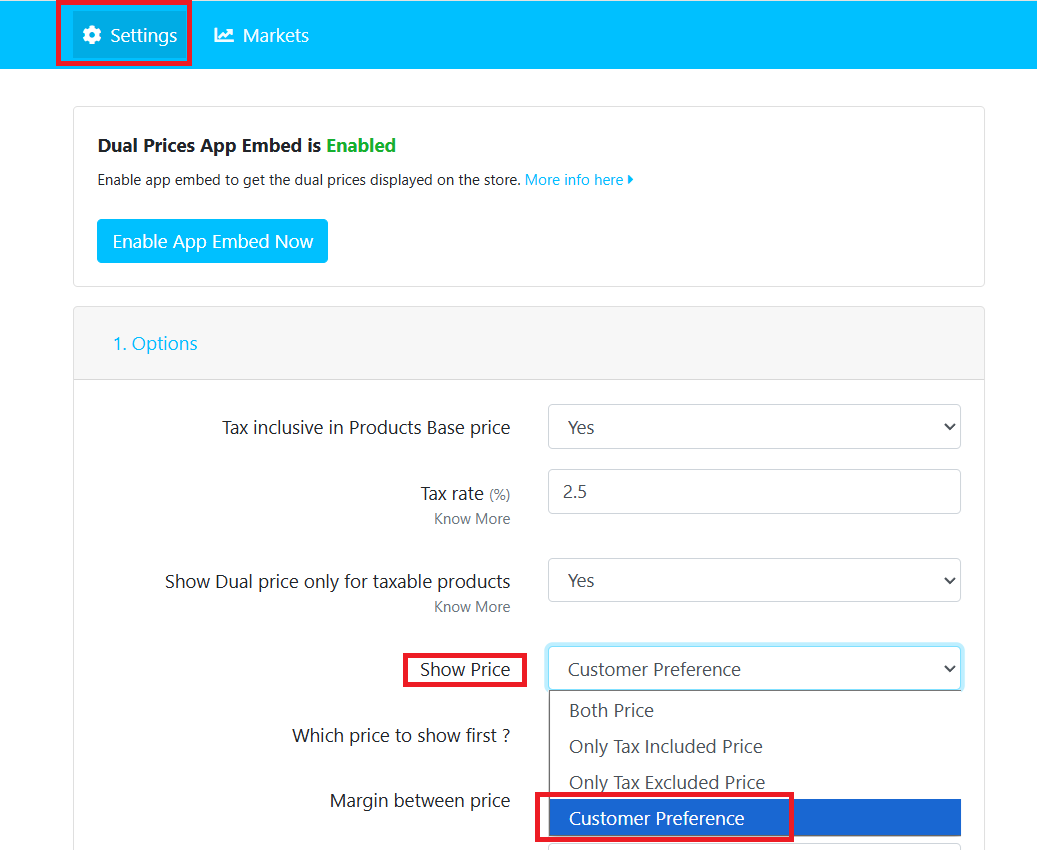
- Navigate to the Dual Price App Dashboard → Option Settings.
- Select the “Customer Preference” option to enable the toggle switch.
Step 2: Add Custom Class for Header Section
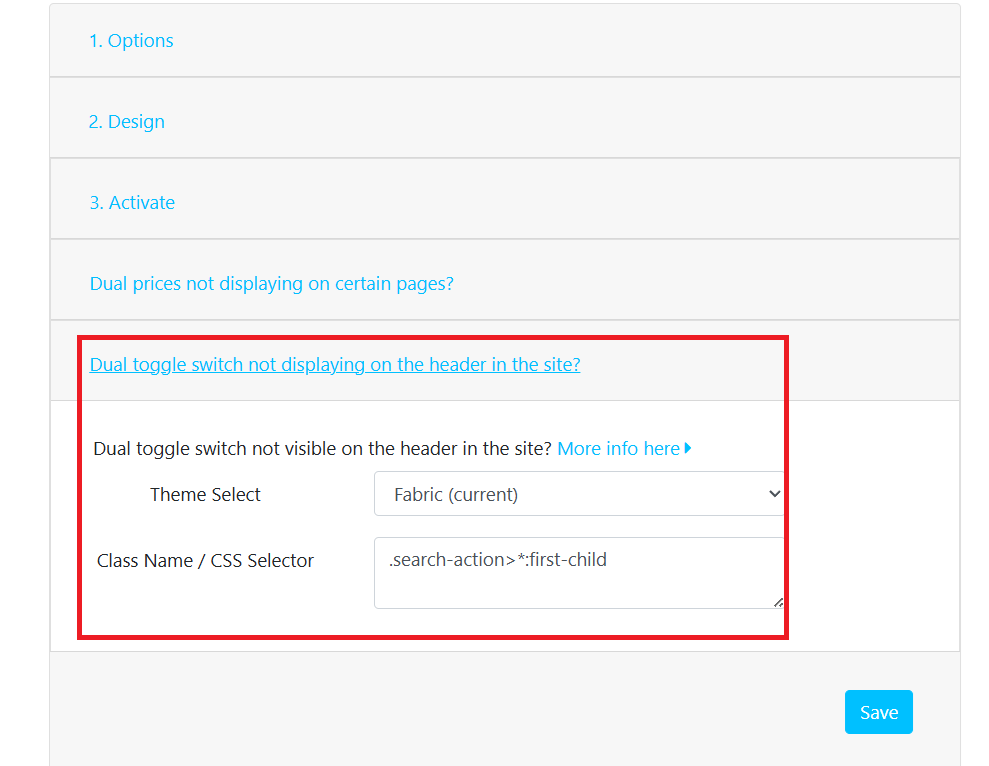
To display the toggle switch in your store's header, enter the CSS selector for your header element based on your currently published theme.
Syntax
.class-name > *:first-child
Example
.search-action > *:first-child
Step 3: Customize the Toggle (Optional)
Navigate to the Design section of the app to customize the appearance of the toggle switch.
You can customize:
- Text color
- Background color
- Borders
- Font size
- Spacing and other styles using custom CSS
This allows you to match the toggle switch with your store's branding and theme.
Step 4: Save Your Changes
Click Save to apply your settings.
The Dual Toggle Switch will now appear in the header section of your store, allowing customers to switch between tax-inclusive and tax-exclusive views.
Need Help?
If you have any questions or experience any issues while setting up the toggle switch, please submit a support ticket or contact us via our live chat. Our support team will be happy to assist you.