Adding table integration code into your vintage or custom Shopify theme is a one-time setup step. Once integrated, you can display custom specification tables on all product pages.
Before You Begin
We recommend making a backup copy of your theme before modifying theme files. To duplicate your theme, go to Online Store > Themes, select Actions > Duplicate next to your active theme.
Steps to Integrate Tables
1. Go to your Shopify admin.
2. Click Online Store > Themes > Actions.
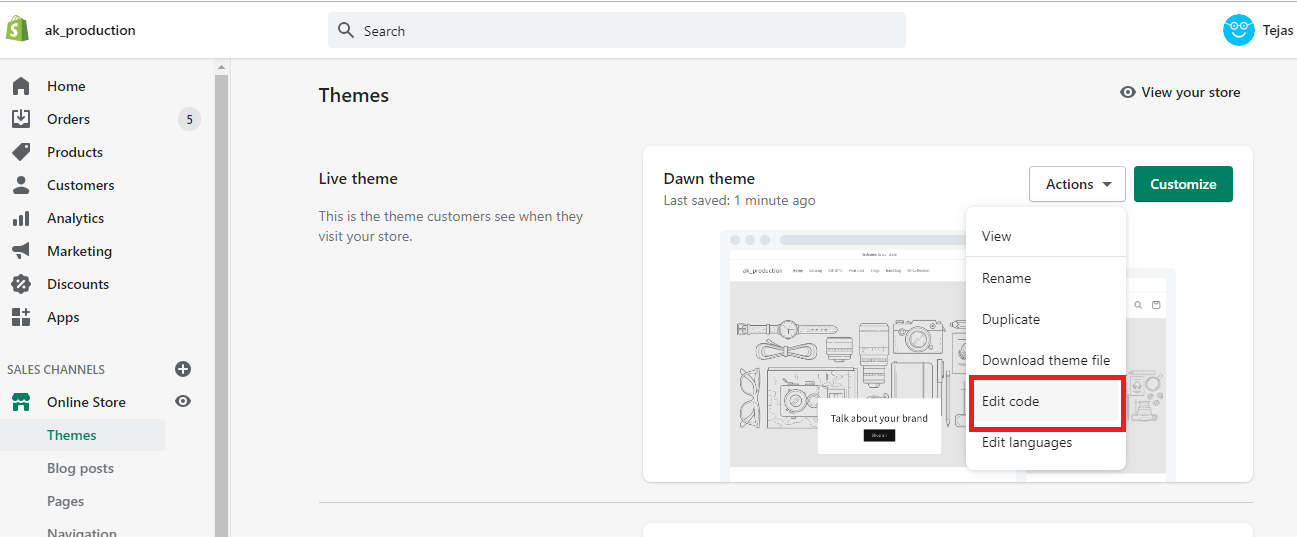
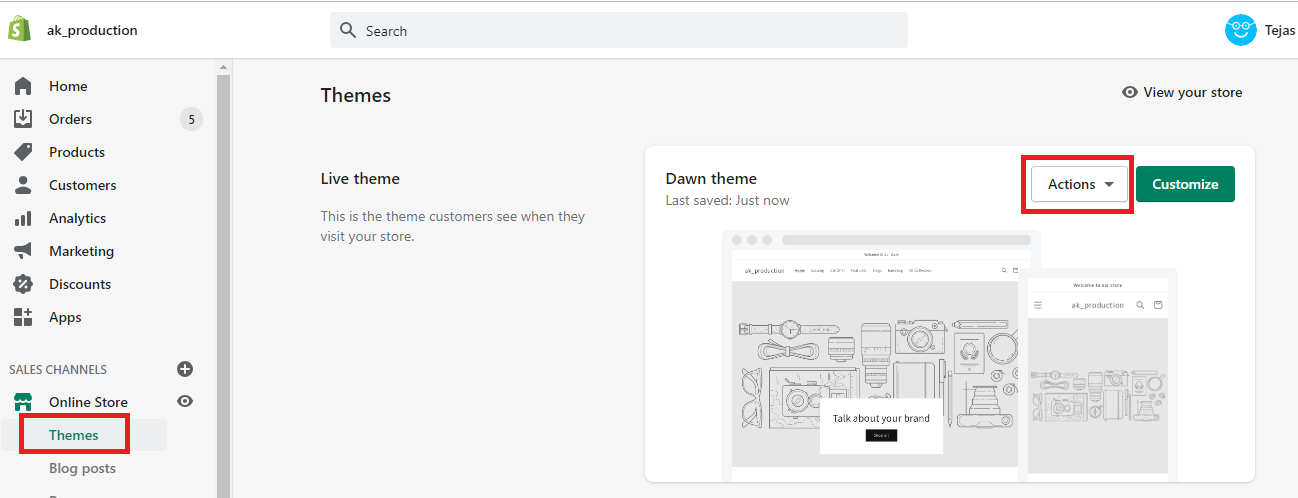 3. Click Edit code.
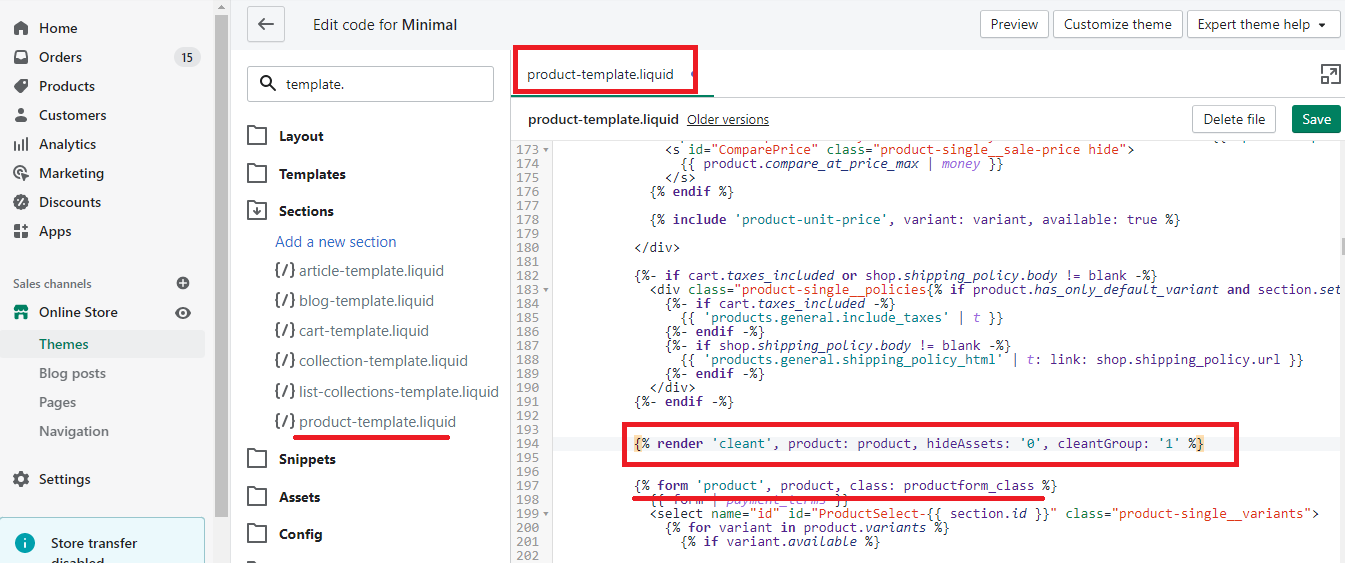
4. Add the following code where you'd like the tables to show:
{% render 'cleant', product: product, hideAssets: '0', cleantGroup: '1' %} |
To show the table on the product pages, place the code in the sections/main-product.liquid file. Search for {{product.description}} and place the above-mentioned code above the description line.
This will display the badge table above the description of the product. You can place the installation code anywhere else depending on your requirements.
Tips
If you are not comfortable modifying code, email us at [email protected], and our team will perform the integration for free.